

This guide will show you how to Control Water and electricity shutoff on your Project Zomboid Server
Click here to order your Project Zomboid server with Citadel today!
Project Zomboid features a survival system where essential utilities, including water and electricity, eventually shut off as the apocalypse progresses. These changes can significantly affect gameplay, making it more challenging for players to access clean water, preserve food, cook meals, maintain lighting, and use electrical appliances. For server owners, adjusting the utility shutoff settings is an effective way to customize the survival experience, whether you want to give players more time to establish their bases, create a more challenging environment, or maintain a world that suits your community's preferred playstyle. By configuring the water and electricity shutoff settings on your Project Zomboid server, you can control when these essential services stop working during gameplay. Depending on your server configuration and the available sandbox options, you can adjust the expected shutoff timing or choose settings that allow utilities to remain available for longer. These adjustments are particularly useful for multiplayer servers where players may need additional time to gather resources, build shelters, organize supplies, and prepare for the long-term effects of losing access to public utilities. This guide will walk you through how to locate and modify the relevant sandbox configuration settings on your Project Zomboid dedicated server. You can configure water and electricity shutoff independently, allowing you to create different timelines for each utility based on your server's requirements. For example, you can keep water available for several months while allowing electricity to shut off earlier, encouraging players to prepare for power outages and develop alternative survival strategies. Whether you manage a casual multiplayer world or a challenging survival server, understanding these settings will help you tailor the gameplay experience to your community. Before making any changes, we recommend stopping your server and creating a backup of your configuration files to help protect your existing settings. Once your preferred values have been saved, you can restart the server to apply the configuration. Keep in mind that the available options and their behavior may vary depending on your Project Zomboid build, so always check the settings supported by your server version.
Configuring Water and Electricity Shutoff
1. Log in to your Game Control Panel.
2. Before making any modifications, stop the server from running by clicking the Stop button.

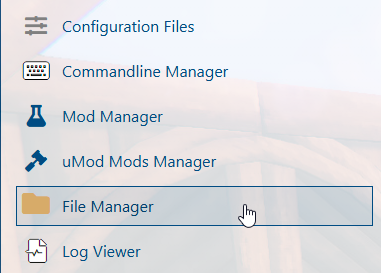
3. Navigate to the File Manager section.
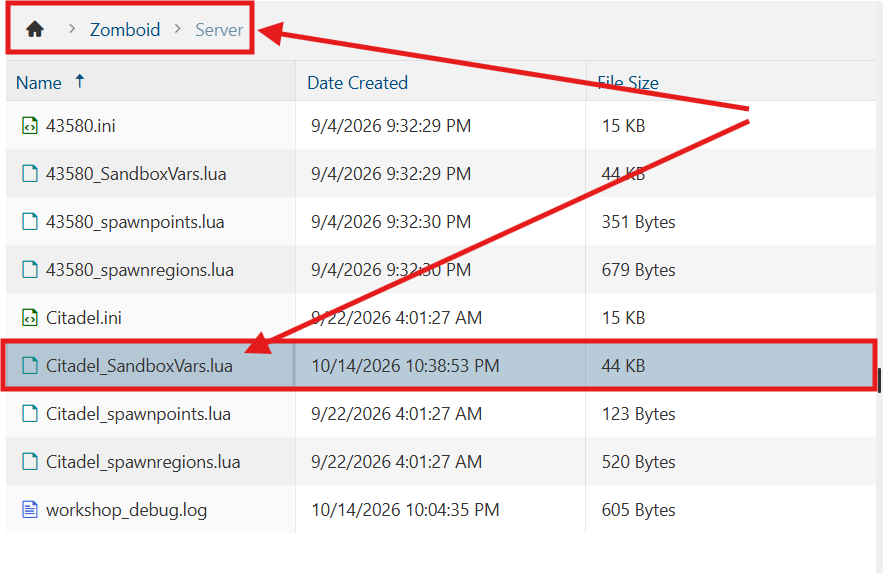
4. Navigate to the /Zomboid/Server directory and locate the [SaveName]_SandboxVars.lua file, replacing [SaveName] with the name of your server's save.
5. In the file, adjust the WaterShut value to configure the time range before the water supply shuts off in buildings.
Similarly, modify the ElecShut value to configure the time range before electricity is shut off in buildings.
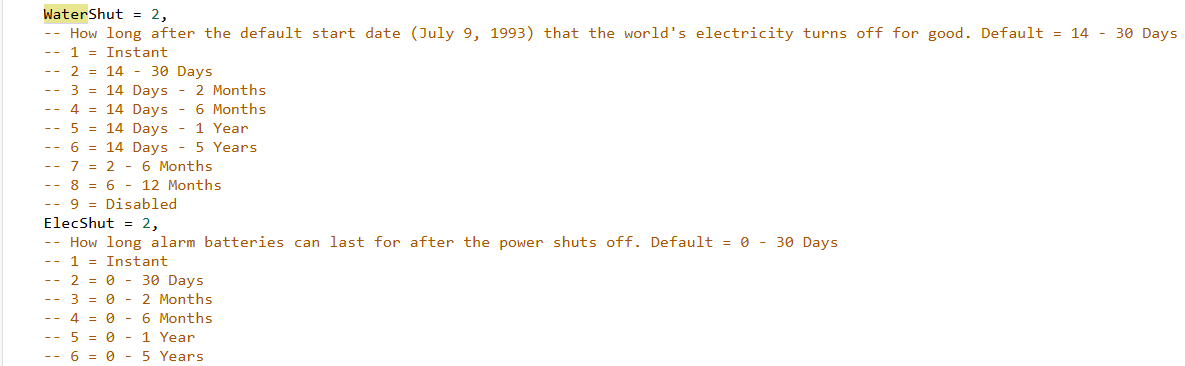
(Note: If either utility shutoff is disabled, the corresponding water or electricity supply will remain available indefinitely.)
6. After editing, click Save to apply the changes.

You can now start playing on your server.
Did the above information not work for you?
Please click here to contact our support via a ticket.
