

This guide will help you How to Configure Water Regeneration Settings on your Path of Titans Server
Click here to order your Path of Titans server with Citadel Servers today!
Water regeneration settings play an important role in determining how quickly water sources replenish on your Path of Titans server. These settings allow server owners to customize the rate at which water regenerates, giving them greater control over water availability and the overall survival experience for players. By adjusting these values, you can create a more forgiving environment where water sources replenish quickly or introduce an additional survival challenge by slowing down the regeneration process. Customizing water regeneration can also help you establish a gameplay experience that better suits your community's preferences. For example, servers designed for casual gameplay may benefit from faster water regeneration, allowing players to spend less time waiting for water sources to replenish. On the other hand, realism-focused or hardcore survival servers may use slower regeneration rates to make water management more challenging and encourage players to plan their journeys around available water sources. Whether you want to make water more accessible, increase the difficulty of survival, or simply fine-tune your server's gameplay balance, configuring these settings gives you greater flexibility in managing your server's environment. In this guide, we'll walk you through how to access your Path of Titans server configuration files and adjust the water regeneration parameters to achieve your preferred gameplay experience.
Configuring Water Regeneration on Your Path of Titans Server
1. Log in to your Game Control Panel.
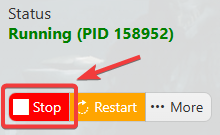
2. Before making any modifications, stop the server from running by clicking the Stop button.
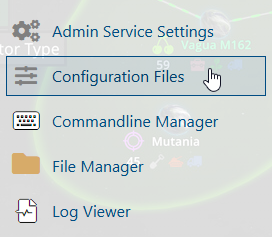
3. Navigate to Configuration Files.
4. In the Configuration Files section, locate the Game.ini file and click Text Editor to open and edit the file.

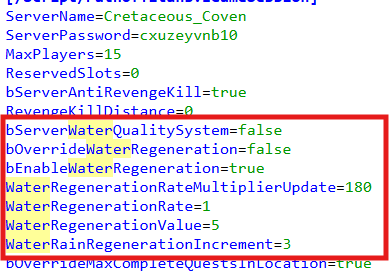
5. In the configuration file, locate the Water Regeneration parameters.
Adjust the values according to your preferred water regeneration rates to customize how quickly water sources replenish on your server.
(Note: If these parameters are not present in the configuration file, you can manually add them under the [/Script/PathOfTitans.IGameMode] section.)
| Default Setting | Description |
bServerWaterQualitySystem=true |
Enables the dynamic water quality system. |
bOverrideWaterRegeneration=false |
Allows water regeneration custom settings. Input false to use default values. |
bEnableWaterRegeneration=true |
Passively regenerates water over time. |
WaterRegenerationRateMultiplierUpdate=180 |
The multiplier rate for water regeneration. |
WaterRegenerationRate=60 |
The time in seconds before water starts to regenerate. A lower value can cause lag. |
WaterRegenerationValue=10 |
The amount of regenerated water after every cycle. The value scales depending on the size of the water. |
WaterRainRegenerationIncrement=20.0 |
The multiplier rate for restored water after rain. |
6. After editing, click the Save button to apply the changes.

