

This guide will help you How to Set the Automatic Kick Timer for Inactive Players on your Path of Titans Server
Click here to order your Path of Titans server with Citadel Servers today!
Managing player activity is an important part of maintaining a well-organized and enjoyable multiplayer environment on your Path of Titans server. When players stay connected but inactive for extended periods, they keep available player slots occupied without actively participating in the game. This can become a concern for server owners, especially those running public servers with limited player capacity, where inactive connections may prevent other players from joining and enjoying the experience. Fortunately, Path of Titans provides server administrators with the ability to configure automatic kick settings to manage inactive players. By adjusting the idle kick timer, you can determine how long a player can remain inactive before the server automatically disconnects them. This helps free up available player slots, improve server accessibility, and ensure that active members of your community have a better opportunity to join and participate in gameplay. Customizing the automatic kick timer also allows you to establish rules that suit your server's needs and community expectations. For example, you may want to use a shorter inactivity period for a public server to keep player slots available for active participants. Alternatively, if you're hosting a private server for friends or a community that prefers a more relaxed experience, you may want to allow players to remain idle for longer periods before being disconnected. In this guide, we'll walk you through how to configure the automatic kick timer for inactive players on your Path of Titans server using the Citadel Servers Game Panel. We'll show you where to locate the relevant configuration parameter and explain how to adjust its value to establish your preferred inactivity limit. By following these steps, you can manage inactive connections more effectively, make better use of your server's available player slots, and maintain a smoother multiplayer experience for your community.
Setting Up Automatic Idle Kicking
1. Log in to your Game Control Panel.
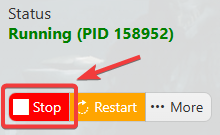
2. Before making any modifications, stop the server from running by clicking the Stop button.
3. Navigate to Configuration Files.
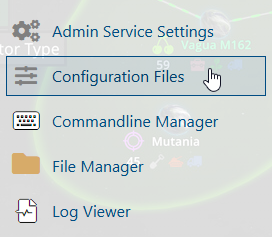
4. In the Configuration Files section, locate the Game.ini file and click Text Editor to open and edit the file.

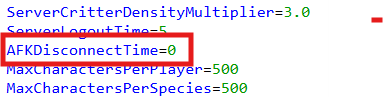
5. In the configuration file, locate the AFKDisconnectTime parameter and adjust its value according to your preferred AFK timer.
(Note: If these parameters are not present in the configuration file, you can manually add them under the [/Script/PathOfTitans.IGameMode] section.)
6. After editing, click the Save button to apply the changes.

