

This guide will help you How to Configure Passive Growth on your Path of Titans Server
Click here to order your Path of Titans server with Citadel Servers today!
Death penalties are an important part of the survival and progression experience in Path of Titans. They determine the consequences players face when their dinosaurs are defeated, influencing how carefully they approach encounters, explore dangerous areas, and interact with other players. Depending on your server's gameplay style, you may want to make these consequences more forgiving for casual players or introduce stricter penalties to create a more challenging and competitive survival environment. Fortunately, Path of Titans allows server administrators to customize death penalty settings to better suit their community's preferences. By adjusting the available configuration parameters, you can control how much progress players lose when their dinosaurs die and establish a gameplay experience that aligns with your server's rules. This is particularly useful for server owners who want to create a more relaxed environment where players can enjoy exploration and group activities without worrying too much about losing progress, or a more hardcore experience where every encounter carries greater consequences. Customizing the death penalty can also help you maintain a balanced multiplayer environment. For example, reducing the death penalty can make your server more welcoming to newer players and encourage them to participate in PvP encounters. On the other hand, increasing the penalty can make survival more meaningful by encouraging players to plan their encounters carefully and consider the risks before engaging in combat. Finding the right balance helps ensure that the consequences of dying complement your server's overall gameplay experience rather than discourage players from participating. In this guide, we'll walk you through how to change the death penalty on your Path of Titans server using the Citadel Servers Game Panel. We'll show you where to locate the relevant configuration parameters, explain how to adjust their values, and help you customize the death penalty according to your preferred gameplay experience. Whether you're looking to make your server more beginner-friendly or introduce tougher survival challenges, these steps will help you tailor the death penalty system to better accommodate your community.
Configuring Passive Growth Settings
1. Log in to your Game Control Panel.
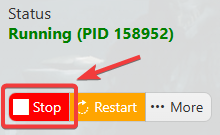
2. Before making any modifications, stop the server from running by clicking the Stop button.
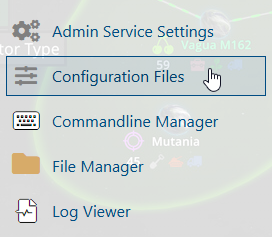
3. Navigate to Configuration Files.
4. In the Configuration Files section, locate the Game.ini file and click Text Editor to open and edit the file.

5. In the configuration file, locate the GlobalPassiveGrowthPerMinute parameter and adjust its value according to your preferred passive growth rate.
(Note: If these parameters are not present in the configuration file, you can manually add them under the [/Script/PathOfTitans.IGameMode] section.)

6. After editing, click the Save button to apply the changes.

