
This guide will show you how to enable Multi-Target Weapon Attacks on your Project Zomboid Server
Click here to order your Project Zomboid server with Citadel today!
In Project Zomboid, combat can quickly become overwhelming when you're surrounded by hordes of zombies. By enabling multi-target weapon attacks, you can allow your character to hit multiple zombies with a single swing, making it easier to manage large groups of enemies and improve your chances of survival. This setting is particularly useful for players who prefer a more action-oriented combat experience or want to make fighting large zombie hordes more manageable. Configuring the weapon multi-hit setting on your Project Zomboid server allows you to customize how melee combat works for players in your multiplayer world. Depending on your preferred gameplay style, enabling this feature can make combat more forgiving by allowing certain weapons to damage multiple targets with one attack, rather than affecting only a single zombie at a time. This can also help make encounters with large groups less challenging, especially when players need to defend their bases, explore dangerous areas, or gather essential supplies. Whether you're setting up a cooperative survival server for friends or customizing your world for a more accessible gameplay experience, adjusting the multi-hit option is a straightforward way to tailor combat to your community's preferences. In this guide, we'll walk you through how to enable multi-target weapon attacks on your Project Zomboid server by modifying the appropriate configuration settings, allowing you to customize your combat experience to suit your server's needs.
Enabling Weapon Multi-Hit
1. Log in to your Game Control Panel.
2. Before making any modifications, stop the server from running by clicking the Stop button.

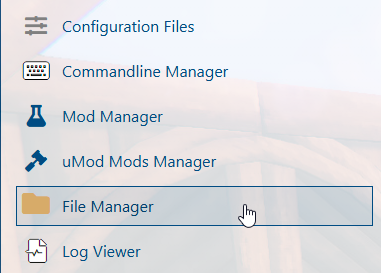
3. Navigate to the File Manager section.
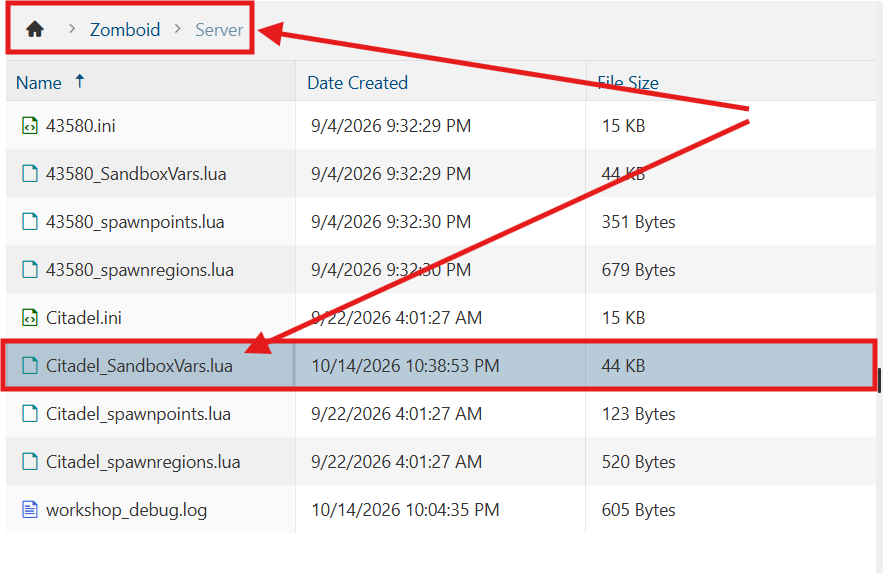
4. Navigate to the /Zomboid/Server directory and locate the [SaveName]_SandboxVars.lua file, replacing [SaveName] with the name of your server's save.
5. In the file, locate the MultiHitZombies parameter and adjust its value to true.

6. After editing, click Save to apply the changes.

You can now start playing on your server.
Did the above information not work for you?
Please click here to contact our support via a ticket.
