
This guide will help you on How to Set the Maximum Player Capacity on your ICARUS Server
Rent an Icarus Server with Citadel Servers Today
The maximum player capacity determines how many players can join your ICARUS server at the same time. Adjusting this setting allows you to customize your server based on the size of your gaming group, whether you are hosting a small private session with friends or running a larger server for a bigger community. By default, your server may be configured with a specific player limit. However, you can change this value through your server's configuration settings to increase or decrease the number of available player slots. Increasing the capacity can make it easier for more players to join your world, while lowering it can help maintain a smaller, more private gameplay environment. Before changing the maximum player capacity, it is important to consider your server's available resources and the number of players you expect to host. A higher player limit may increase server resource usage, particularly when multiple players are actively exploring, building, and interacting with the game world. This guide will walk you through how to set the maximum player capacity on your ICARUS server, including where to locate the relevant server setting, how to update the player limit, and how to apply the changes. By following these steps, you can configure your server to accommodate the number of players that best suits your gameplay needs.
Adjusting the Maximum Player Capacity on Your Icarus Server
1. Log in to your Game Control Panel and navigate to your service.
2. Before making any changes, ensure that your server is fully stopped.
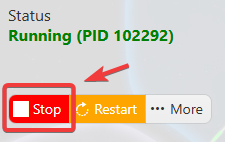
This helps prevent configuration changes from being overwritten or reverted to their default values.
3. Navigate to the Configuration Files tab to access your server’s configuration settings.
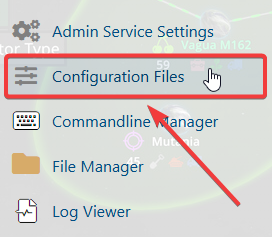
4. In the Configuration Files section, locate the serversettings.ini file, then click Text Editor to open and modify the server settings.

5. In the configuration file, locate the Max Players setting and adjust the value according to your preferred maximum number of players.
(Note: Keep in mind that the maximum number of players is limited by the player capacity included with your purchased service. Any value set above your plan’s player limit will not be applied to your server.)
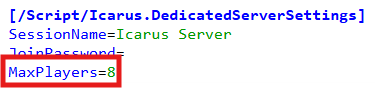
6. Once you have finished editing the settings, click the Save button to apply the changes to your server.