This guide will help you on How to Find and Join Your Icarus Server
Rent an Icarus Server with Citadel Servers Today
Finding and joining your Icarus server is the first step toward getting into your game world, whether you’re connecting to a server you created yourself, joining a dedicated server hosted by a provider, or connecting to a server shared by friends. Because Icarus supports several ways to host and access multiplayer sessions, the exact process can vary depending on how the server was created and whether you’re playing through the Steam version of the game. For players using a dedicated Icarus server, locating the correct server is especially important. You may need to identify the server’s name, IP address, and port, confirm that the server is online, and make sure your game version and other settings are compatible. If the server does not immediately appear in the in-game server browser, you may also need to connect using an IP address or troubleshoot common issues such as incorrect ports, firewall restrictions, mismatched versions, or a server that has not finished starting. This guide explains how to find and join your Icarus server step by step, starting with the information you need to obtain from your server host and continuing through the different connection methods available. It also covers what to check when a server cannot be found, why a server might appear offline, and how to resolve common connection problems. Whether you are joining your own dedicated server for the first time or connecting to a friend's existing world, understanding where to find your server and how the connection process works can save time and prevent unnecessary troubleshooting. By the end of this guide, you should have a clear understanding of how to locate your Icarus server, connect to it successfully, and diagnose the most common issues if the server does not appear as expected.
Connecting to Your Icarus Server
Before joining your server, you may want to update the Server Name first. Choosing a unique and recognizable name will make it easier to locate and identify your server
1. Log in to your Game Control Panel and navigate to your service.
2. Before making any changes, ensure that your server is fully stopped.
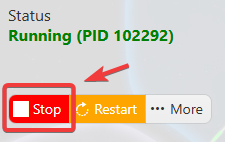
This helps prevent configuration changes from being overwritten or reverted to their default values.
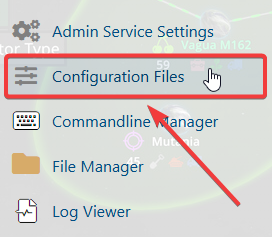
3. Navigate to the Configuration Files tab to access your server’s configuration settings.
4. In the Configuration Files section, locate the serversettings.ini file, then click Text Editor to open and modify the server settings.

5. In the file, locate the Server Name setting and replace the existing name with your preferred server name.
You can also configure a password to restrict access and provide a more private and secure gaming experience.

6. Once you have finished editing the settings, click the Save button to apply the changes to your server.

7. After changing the server name, launch Icarus.
8. Click Play, then create a new character or select an existing character to continue.
9. Open the Join menu, then select the Dedicated Servers tab in the top-right corner.
10. Select the Internet tab and use the Search bar to enter the server name you created earlier.
11. Click Join to connect to the server and enter the game.
Joining Your Icarus Server Using Direct Connect
1. Log in to your Game Control Panel and navigate to your service.
2. Navigate to your Server Dashboard and copy the connection details provided under In-Game Direct Connection and Query Info for Steam Server List Direct Connection.
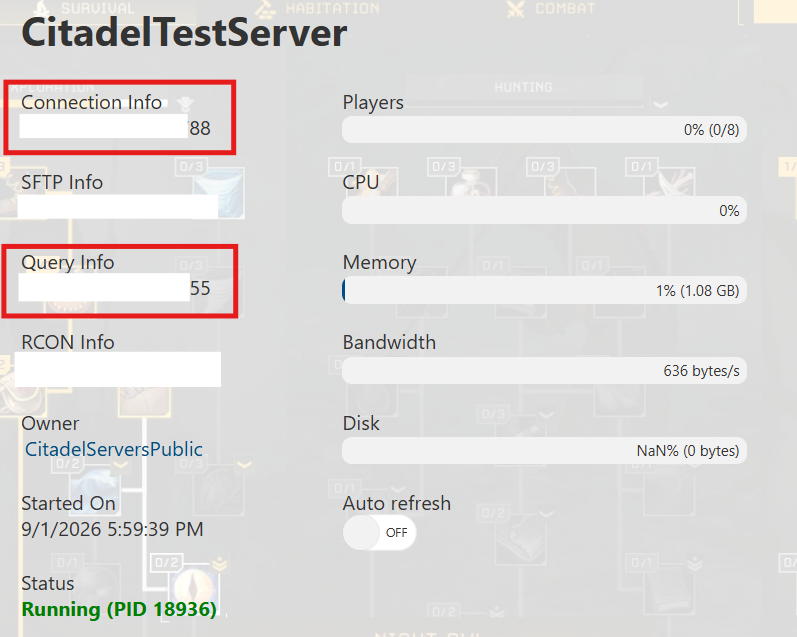
3. After copying the IP address and connection information, launch Icarus.
4. Click Play, then create a new character or select an existing character to continue.
5. Open the Join menu, then select the Dedicated Servers tab in the top-right corner.
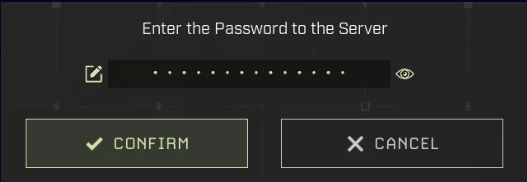
6. Select Direct Connect, paste the IP address you copied in Step 2, and enter the Server Password if set, then click Confirm.