

This guide will help you How to Manage Assist Rules on your ACC Server
Your Race Starts Here: Get Your ACC Server from Citadel Servers Today
Managing assist rules on your Assetto Corsa Competizione (ACC) server allows you to control which driving aids are available to players during multiplayer events. These settings are particularly important when creating a specific racing environment, whether you want to provide a more accessible experience for casual drivers or enforce stricter rules for competitive and league racing. ACC provides several driving-assistance options that can influence how vehicles are controlled on the track. By configuring the server's assist rules, you can determine which aids are permitted, restricted, or disabled for participants. This gives server administrators greater control over the level of difficulty, realism, and competition within each event. Properly configuring these settings can also help maintain a consistent experience for all drivers. For organized leagues and competitive events, restricting certain assists can help ensure that participants compete under the same conditions. Conversely, allowing selected assists can make the server more welcoming to newer or less experienced drivers without requiring them to master every driving technique immediately. In this guide, we will explain how to manage assist rules on your ACC server and how to configure them according to your preferred racing format. We will cover the available assist-related options, explain what each setting controls, and provide guidance on choosing the appropriate configuration for your event. You can adjust the assist rules based on the type of racing you intend to host. For example, a casual server may allow a wider range of driving aids to improve accessibility, while a competitive league may use stricter settings to create a more demanding and consistent racing environment. Understanding these settings is essential when configuring your ACC server because the selected assist rules can directly affect the driving experience and overall competitiveness of your events. Taking the time to configure them correctly ensures that your server operates according to your intended rules and that drivers understand which assists are available to them. By the end of this guide, you will have a clear understanding of how ACC assist rules work and how to configure them effectively for different types of multiplayer events. Whether you are hosting casual races, organized league competitions, or specialized events, you will be able to customize the assist configuration to create a racing experience that matches your server's requirements and your community's preferences.
Enabling the Assist Rules Settings on Your Assetto Corsa Competizione Server
1. Log in to your Game Control Panel and navigate to your service.
2. Before making any changes, ensure that your server is fully stopped.
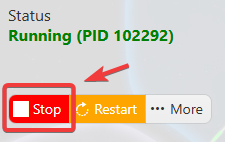
This helps prevent configuration changes from being overwritten or reverted to their default values.
3. Navigate to the Configuration Files tab to access your server’s configuration settings.
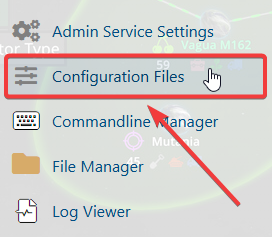
4. In the Configuration Files section, locate the assistrules.json file, then click Config Editor to open and modify the assist rules settings.

5. Enable and configure the available assist settings based on your preferences and skill level to provide the appropriate level of driving support and enhance your overall racing experience.
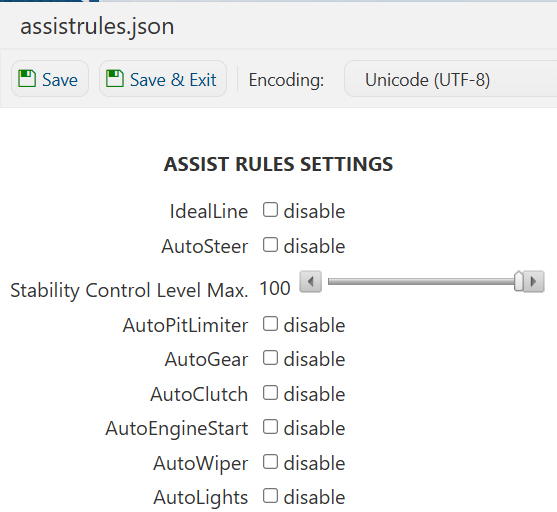
6. Once you have finished editing the settings, click the Save button to apply the changes to your server.

If you prefer to modify the server name directly within the configuration file instead of using the UI, click Text Editor next to Config Editor and make your changes there.
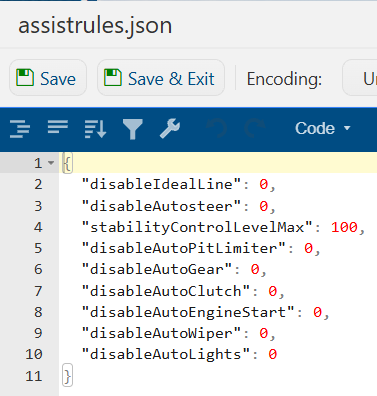
Using the Text Editor allows you to preserve custom configurations, such as installed mods and custom scenarios, without having them overwritten or affected by the preset settings in the Config Editor.
