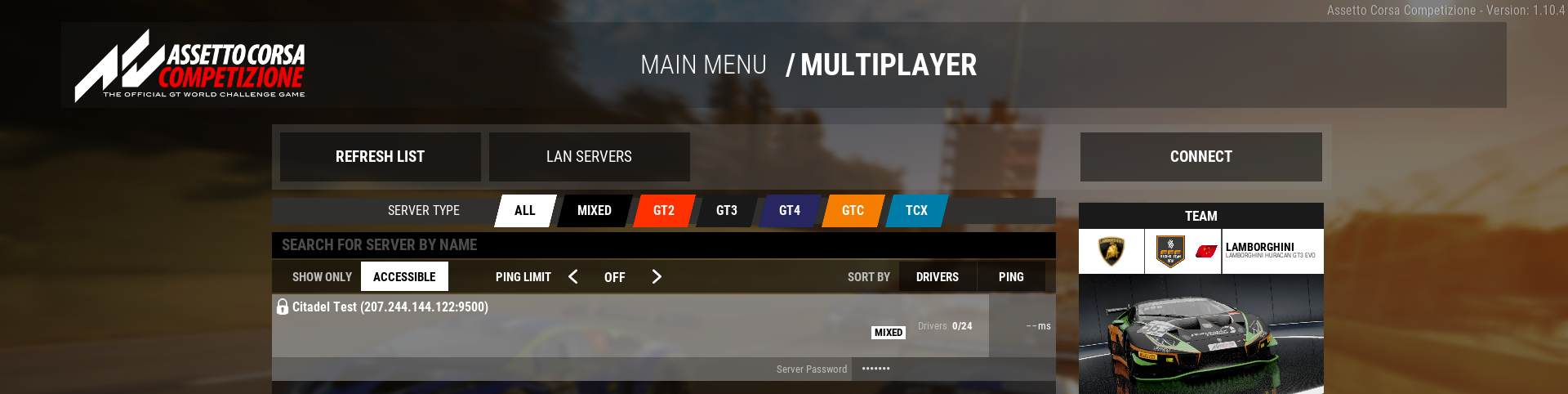
This guide will help you connect to your Assetto Corsa Competizione (ACC) Server
Your Race Starts Here: Get Your ACC Server from Citadel Servers Today
Connecting to your Assetto Corsa Competizione (ACC) server is the first step toward creating a private, dedicated racing environment where you and other drivers can compete online. Whether you are hosting a casual session with friends, organizing a league race, or running a long-term community server, understanding how to properly connect to the server ensures that everyone can join smoothly and start racing without unnecessary connection issues. uses dedicated multiplayer servers that can be configured with settings such as track selection, weather, race sessions, driver limits, password protection, and other gameplay parameters. Once the server is running and accessible, players can connect to it through the game's multiplayer interface by locating the server and, when required, entering its password. In this guide, we will walk through the process of connecting to your ACC server from start to finish. You will learn how to identify your server, find it in the ACC multiplayer browser, connect using the correct server information, and troubleshoot common problems if the server does not appear or the connection fails. Before attempting to connect, make sure that your ACC server is online and fully started, and that you have the necessary connection details. Depending on how the server is hosted, these may include the server name, IP address, port, and password. It is also important to ensure that your game version is compatible with the server and that any required server settings or content are correctly configured. By the end of this guide, you should have a clear understanding of how to connect to your ACC server and what to check when something prevents you from joining. This makes it easier to get your server operational and allows you to focus on what matters most: getting on the track and racing.
Joining Your Assetto Corsa Competizione Server
Before joining your server, you may want to update the Server Name first. Choosing a unique and recognizable name will make it easier to locate and identify your server in the ACC multiplayer server list.
1. Log in to your Game Control Panel and navigate to your service.
2. Before making any changes, ensure that your server is fully stopped.
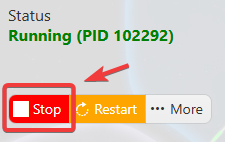
This helps prevent configuration changes from being overwritten or reverted to their default values.
3. Navigate to the Configuration Files tab to access your server’s configuration settings.
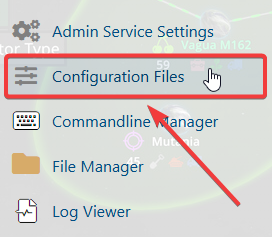
4. In the Configuration Files section, locate the settings.json file, then click either Text Editor or Config Editor to open and modify the server settings.

5. In the file, locate the Server Name setting and replace the existing name with your preferred server name.
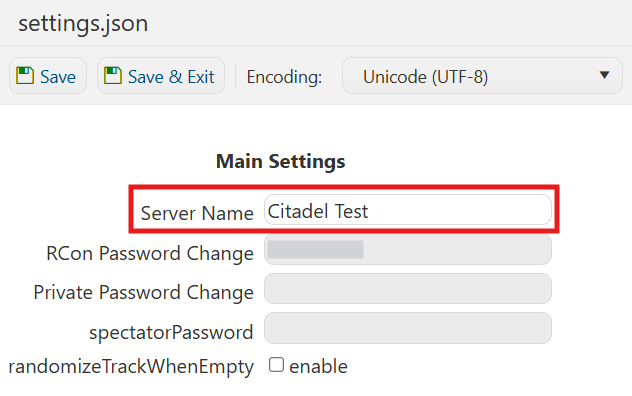
6. Once you have finished editing the settings, click the Save button to apply the changes to your server.

7. After changing the server name, launch Assetto Corsa Competizione (ACC) and navigate to the Main Menu.

8. Select the Drive menu in the top-left corner, then navigate to the Online tab.
9. Search for your server name in the server list, then select the appropriate server from the search results.
Choose your preferred car and, if the server is password-protected, enter the required password to proceed.
(Note: If your server does not appear in the server list, try using the Direct Connect option to connect to the server manually.)