

This guide will show you how to Turn Off User Verification on your Factorio Server
Click here to order your Factorio server with Citadel Today!
Factorio servers include a user verification feature that checks whether connecting players have authenticated Factorio accounts. While this feature provides an additional layer of security and helps ensure that players joining the server have valid accounts, it may not be suitable for every multiplayer community. For example, server owners who want to accommodate players using alternative account setups or allow connections without standard Factorio account verification may prefer to disable this requirement. Disabling user verification is a straightforward process that involves modifying your Factorio server's configuration settings. However, keep in mind that turning off this feature may affect how player identities are authenticated, which can also impact the reliability of player names used for administrative permissions and bans. Additionally, servers with user verification disabled may not be eligible to appear in the public server browser. In this guide, we will walk you through the steps to disable user verification on your Factorio server by adjusting the require_user_verification setting in the server configuration file. We also recommend setting a server password and sharing the connection details only with trusted players to help maintain control over who can access your server.
Disabling Account Verification for Your Factorio Server
1. Log in to your Game Panel to start your server.
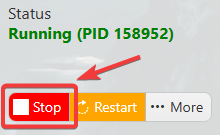
2. Before making any modifications, stop the server from running by clicking the Stop button.
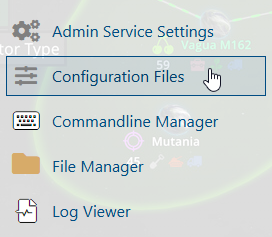
3. Navigate to the Configuration Files section.
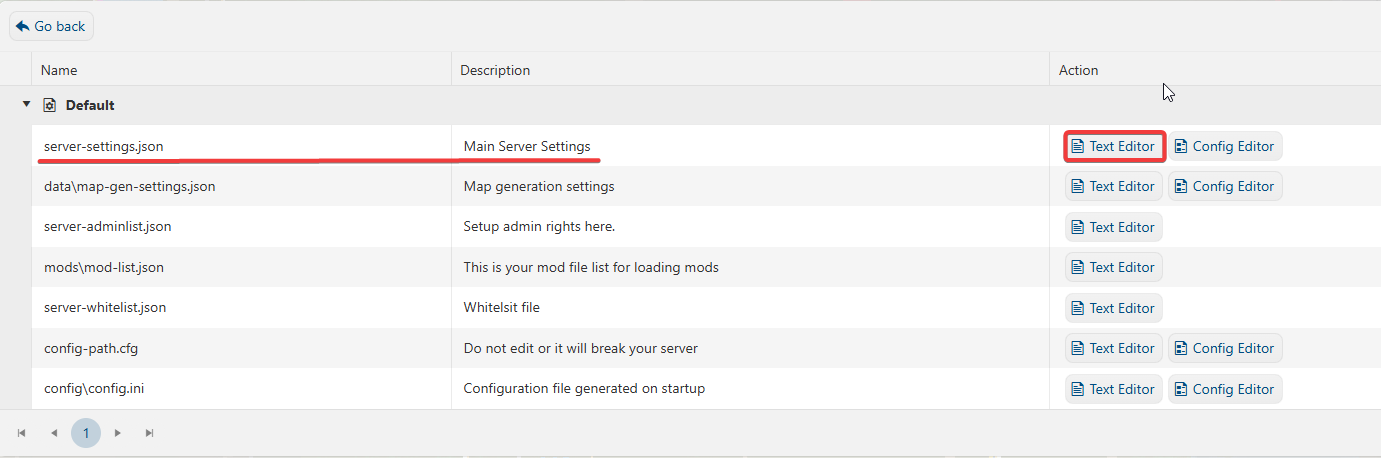
4. In Configuration Files, look for the server-settings.json file and click the Text Editor.
5. Locate the require_user_verification setting and change its value to false to disable user verification.

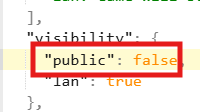
6. Under the visibility section, change the public value to false to prevent your server from appearing in the public server browser.
7. After editing, click Save to apply the changes.

Did the above information not work for you?
Please click here to contact our support via a ticket.
