

This guide will help you with how to ban and Unban Players on your Schedule 1 Dedicated Server
Click here to order your Schedule I server with Citadel Servers today!
Managing player access is an important part of maintaining a well-moderated Schedule 1 dedicated server. Server administrators can ban players who violate server rules or disrupt the gameplay experience, while unbanning allows previously restricted players to regain access when appropriate. Using the available server commands, you can manage player bans directly through the server console without needing to modify configuration files manually. This makes it easier to respond to moderation issues and maintain control over who can access your server. In this guide, we'll walk you through how to ban and unban players on your Schedule 1 dedicated server, including the commands required for each action and how to apply them correctly.
Managing Player Bans
1. Log in to your Game Control Panel.
2. Navigate to the Web-Console section.
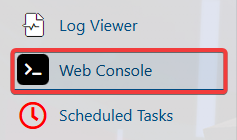
3. Enter the appropriate command in the console.
| Command | Description |
|---|---|
Players |
Lists the current players connected to the server. |
Ban "name" reason |
Bans the desired player from the server. |
Unban "name"/id |
Removes the desired player from the ban list. |
(Note: Administrators can also execute the same ban commands in-game by adding a / prefix to the command.)
Did the above information not work for you?
Please click here to contact our support via a ticket.
