
This guide will show you how to Switch Between Gamemodes on your Barotrauma Server
Click here to order your Barotrauma server from Citadel Servers today!
Barotrauma offers several game modes, each providing a different way to play and experience the game. Whether you want to run a cooperative campaign, host a quick mission, or try a different style of gameplay, switching your server’s gamemode allows you to tailor the experience to your players. In this guide, we’ll show you how to switch between gamemodes on your Barotrauma server. We’ll cover where to find the gamemode settings and how to select the option that best suits your server. By following these steps, you can quickly adjust your server’s gameplay experience whenever needed.
Changing the Gamemode in Your Barotrauma Server
1. Log in to the Game Panel and navigate to your Barotrauma server.
2. Before making any modifications, stop the server from running by clicking the Stop button.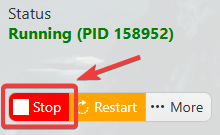
3. Navigate to the Configuration Files section.
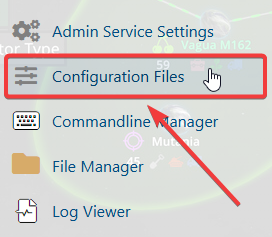
4. In the configuration files, locate the serversettings.xml file and click Config Editor to open its settings.

5. In the configuration files, locate the Gamemode to Run field. From here, you can review and modify the configured gamemode settings that suit your taste.
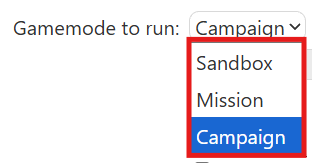
6. After making the necessary changes, click Save to save the configuration and apply the updated settings.
If you prefer to change the server name directly in the configuration file instead of using the UI, click Text Editor next to Config Editor.
From there, you can manually edit the server name and save the file to apply your changes.

Did the above information not work for you?
Please click here to contact our support via a ticket.
