

This guide will walk you through enabling Anti-Flood Spam Kick on your Arma 3 server.
Click here to order your Arma 3 server with Citadel Servers today!
1. Log in to your Citadel Servers Game Panel and stop your server.
2. Go to the Configuration Files tab, then open the server configuration using the text editor.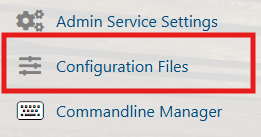
3. Locate the class AntiFlood section. If it doesn’t exist, add this at the bottom:
class AntiFlood
{
  cycleTime = 0.5;
  cycleLimit = 400;
  cycleHardLimit = 4000;
  enableKick = 0;
};
Setting         | Description
----------------|------------------------------------------------
cycleTime       | Amount of seconds to be set as a "cycle".
cycleLimit      | The limit of messages per cycle.
cycleHardLimit  | The hard limit of messages per cycle.
enableKick      | Kicks the player once 4 out of the last 8 cycles hit the limit, or the hard limit has been reached.
4. Set enableKick to the value 1enableKick = 1;
5. Save the changes and start your server.
Did the above information not work for you?
Please click here to contact our support via a ticket.
