

This guide will show you how to spawn creatures and Items in the Soulmask Server
Looking to rent a Soulmask server? Click here to order your server now!
Spawning creatures and items on your Soulmask Server is one of the most powerful tools available to server admins and world builders. Whether you're testing mechanics, setting up events, restoring lost progress, or shaping a custom gameplay experience, the game’s admin spawn commands give you full control over what appears in your world. From summoning hostile creatures for challenge scenarios to generating rare gear for troubleshooting or creative play, mastering these commands allows you to manage your server efficiently and keep your community running smoothly. Before diving into the command list, it helps to understand how spawning works, where commands can be entered, and what precautions to take when introducing new entities into your world.
Spawning Creatures and Items
1. Log in to the server with admin privileges.

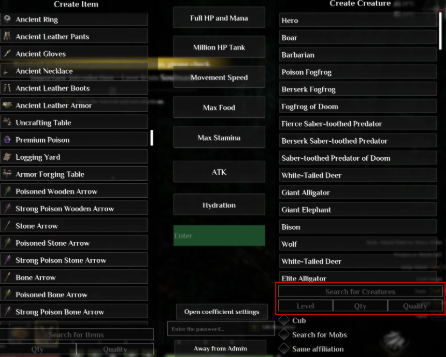
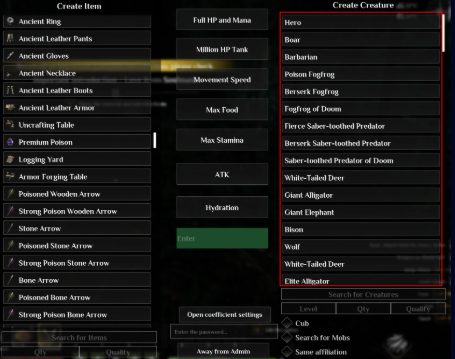
2. To generate a creature, provide the required details: creature name, level, number to spawn, and optional quality.
| Quality | |
|---|---|
0 |
Common |
1 |
Good |
2 |
Fine |
3 |
Rare |
4 |
Epic |
5 |
Legendary |
| Quality | |
|---|---|
0 |
Common |
1 |
Good |
2 |
Fine |
3 |
Rare |
4 |
Epic |
5 |
Legendary |
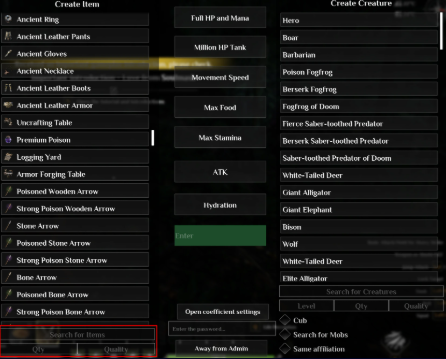
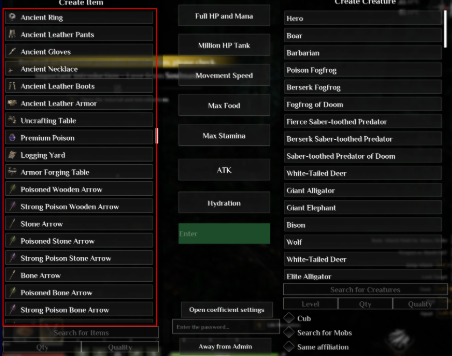
5. Spawn an item by clicking its name in the list.
Did the above information not work for you?
Please click here to contact our support via a ticket.
