

This guide will show you how to configure your RuneScape: Dragonwilds server
Click here to order your Runescape DragonWilds server with Citadel Servers today
1. Log in to your Game Control Panel.
Stop your servers first.
2. Open the Configuration Files and Commandline Manager.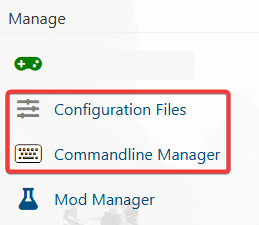
3. For the Configuration Files, select the “Config Editor” Button.
A pop-up will appear with settings you can change easily, like Server Name and Password.
You can also use “Text Editor” to change the configuration contents directly.
4. For the Commandline Manager, select what commandline you want activated.
There is usually a default line and a modded line for our Control Panels.
Press Modify on the one you want and edit the available settings like Server Name and Password.
There are also options to edit the mods and configs to load on the Command Line.
Once you have finished editing, hit apply at the bottom when done.
Did the above information not work for you?
Please click here to contact our support via a ticket.
