
This guide will show you how to enable cross-map or clustering between two Soulmask servers.
Click here to order your Soulmask server with Citadel Servers today!
1. Log in to your Game Control Panel.
Stop your servers first.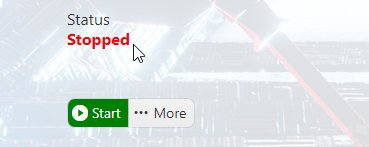
2. For the server you want to become the Master/Main server,
Open the Mod Manager and select the Main server option.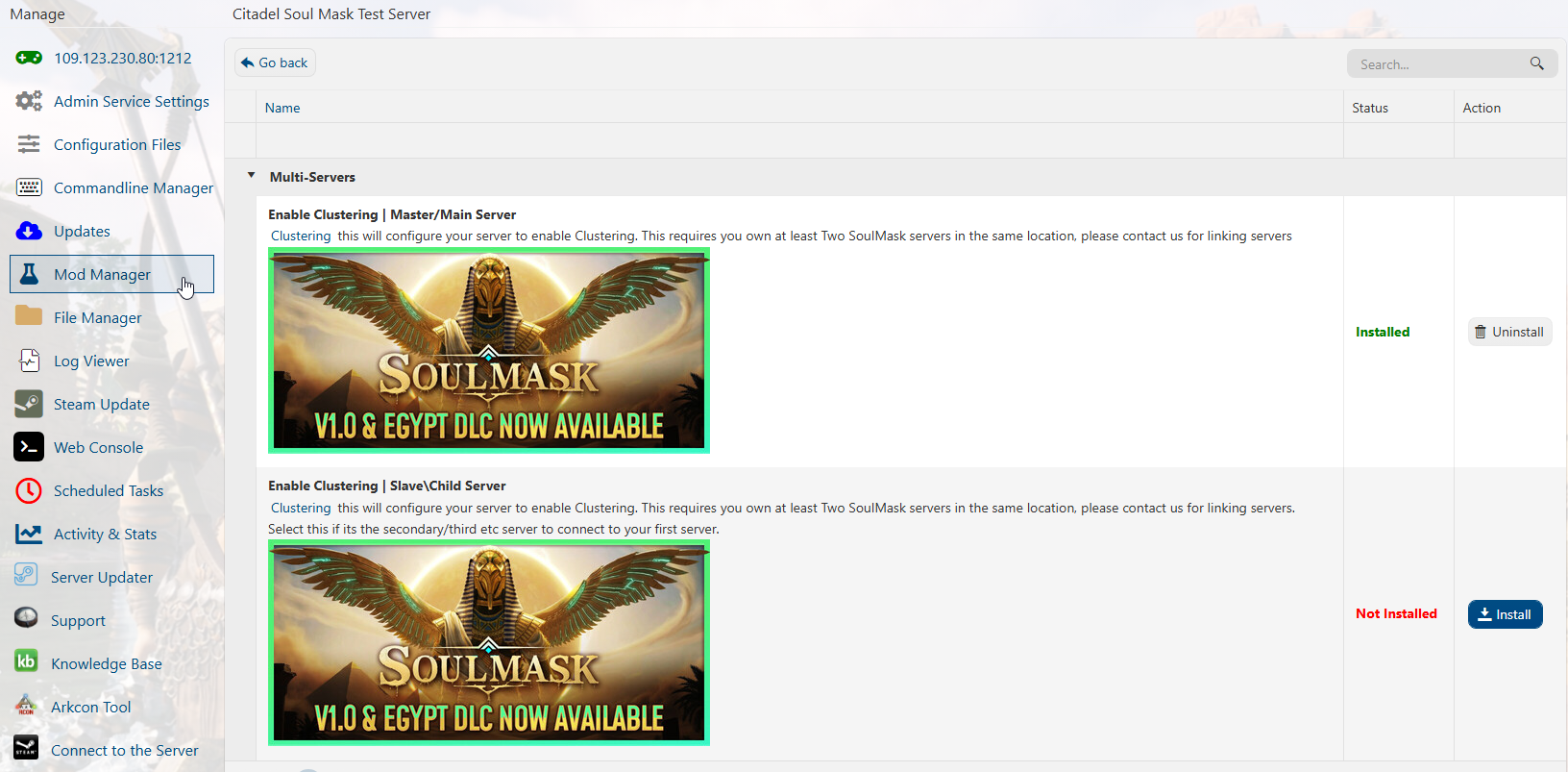
3. For the rest of the other servers, select the Slave/Child option.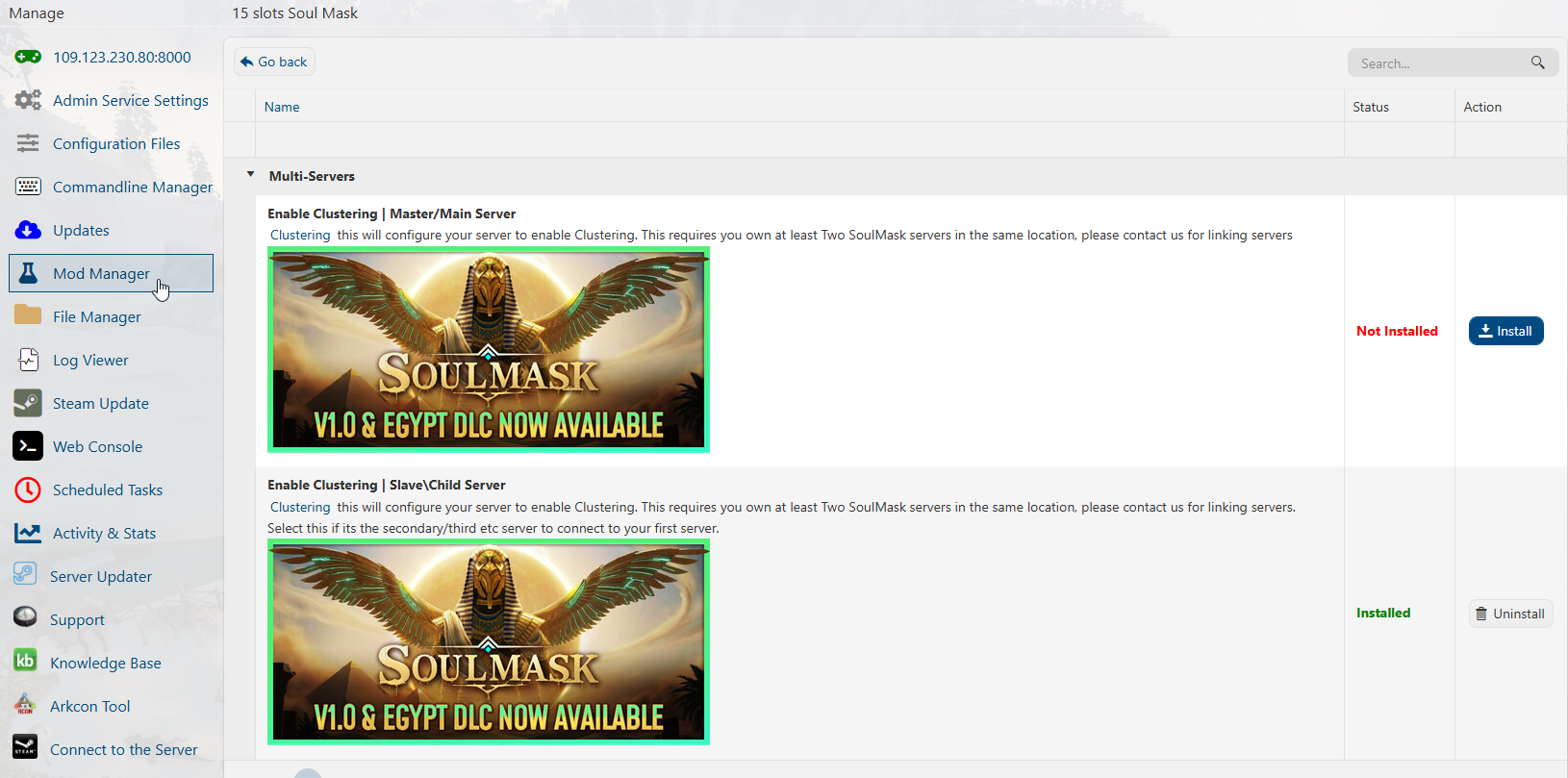
4. Once the clustering is installed and enabled for all servers,
Open the main server's Commandline Manager and select Modify on the clustering line.
Set the Server ID. Each server's ID needs to be different. We recommend using 1 for the main server.
Click " Apply " to set it. Now, copy the IP and Port of the main server before moving on to the other servers.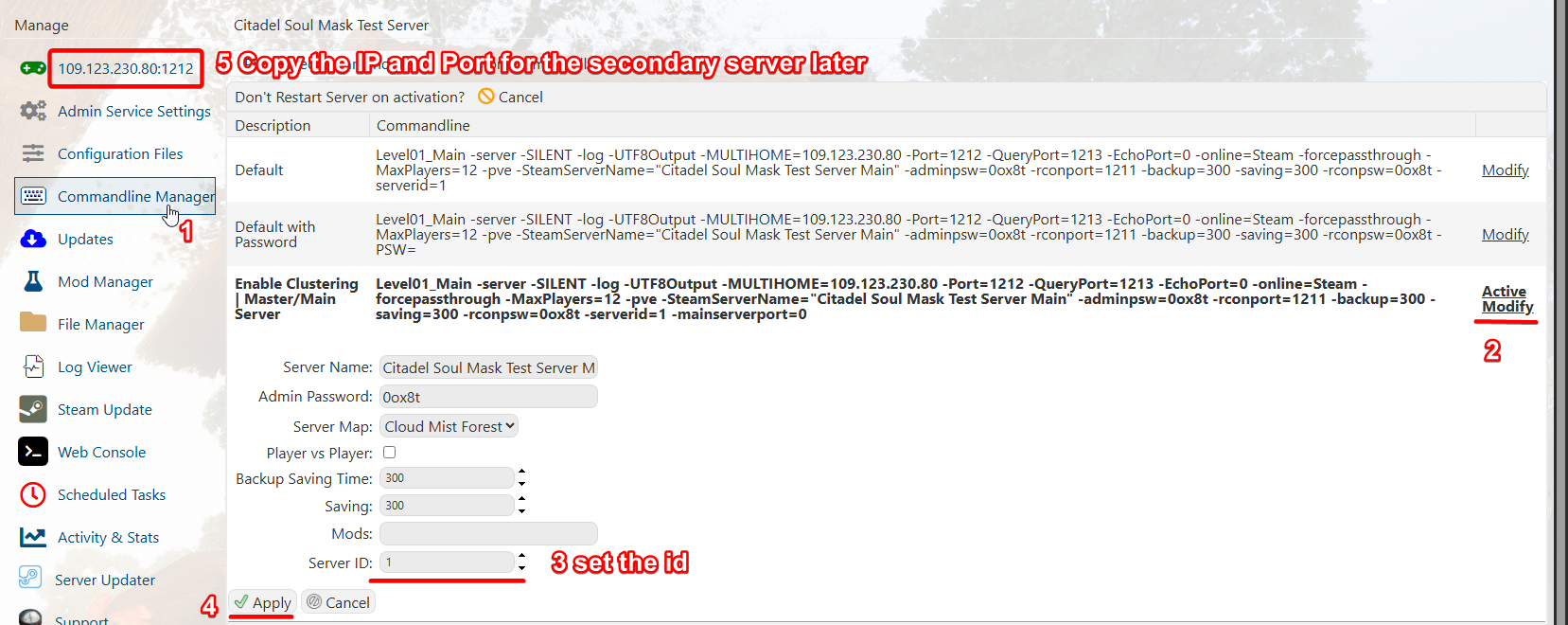
5. In the Secondary servers Commandline Manager, set the ID to a different number from the main servers.
Paste the main server's IP and port into the "clientserverconnect" field. Click " Apply " when finished.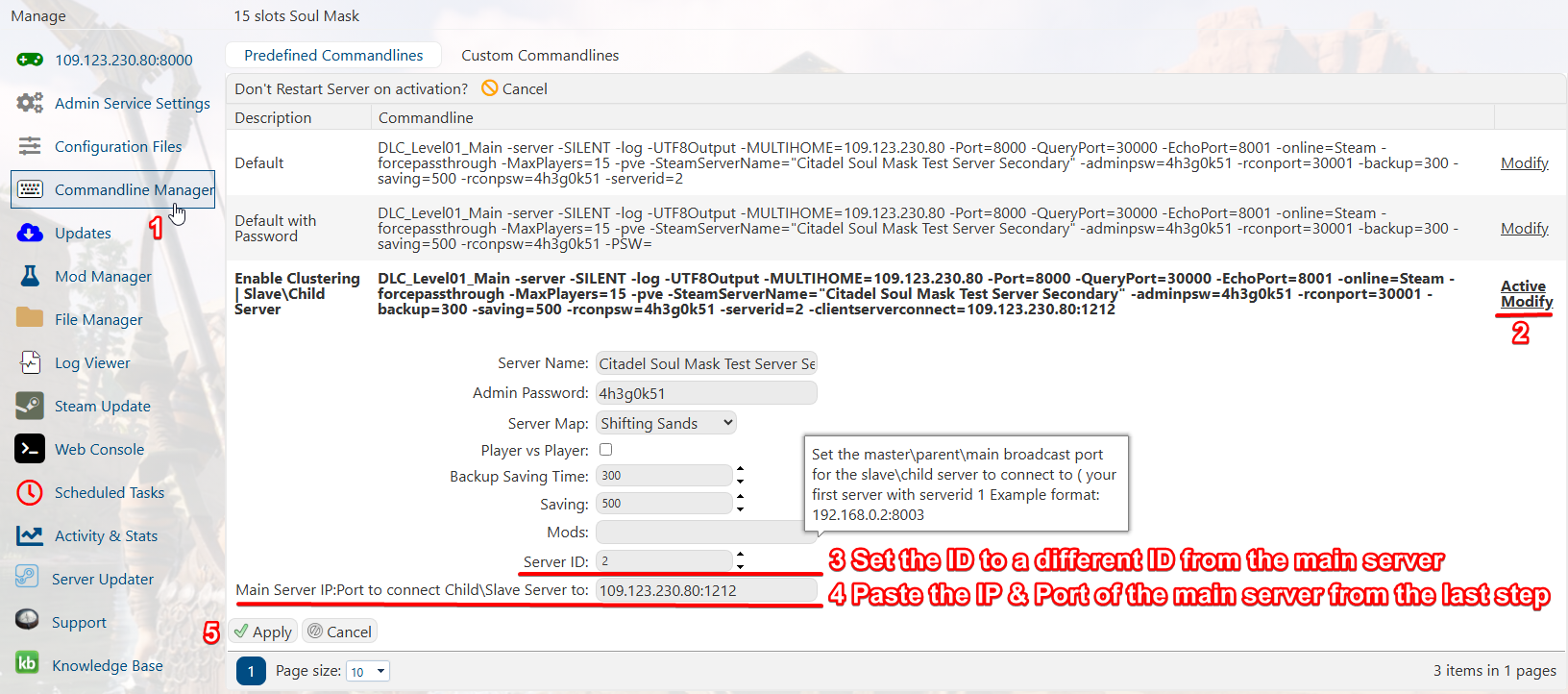
6. Both servers are now clustered, and you can freely travel within them.
If the game adds additional maps, just do the secondary server step again on the new server.
Did the above information not work for you?
Please click here to contact our support via a ticket.

