
This guide will show you how to resolve the black screen error on your Animalia Survival server.
A corrupt world file usually causes this error when joining the server.
Click here to order your Animalia Survival server with Citadel Servers today!
1. Log in to your Game Control Panel.
2. In your PC, navigate to the local save file location.
You can use this Windows run command to quickly navigate to it.
Open Run with "Win+R" and copy and paste "%LocalAppData%\AnimaliaSurvival\Saved".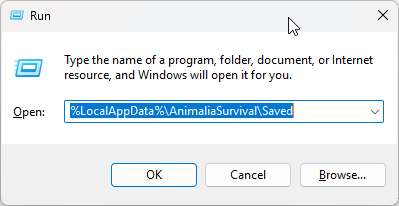
3. Create a Zip/Rar file of the SaveGames folder. You may need either WinRAR or 7-Zip installed for this.
Move the Zip/Rar file to the desktop to easily find it later.
If there is no SaveGames folder, log in to the game and create a single-player world. Save it, then return to this step.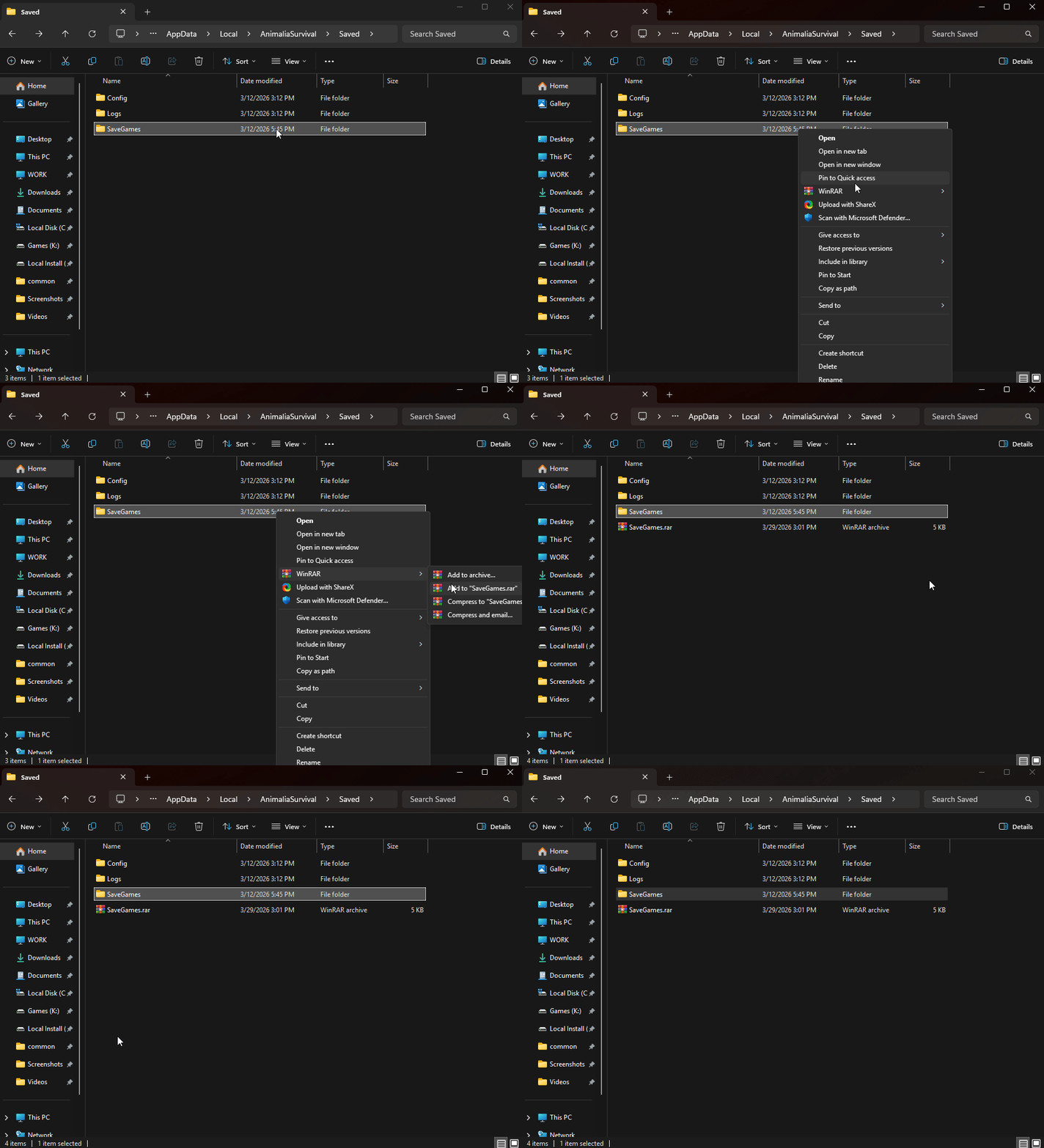
4. Open the File Manager in the Control Panel page and navigate to the Saved Folder in
"<Home>/AnimaliaSurvival/Saved". Upload the SaveGames.rar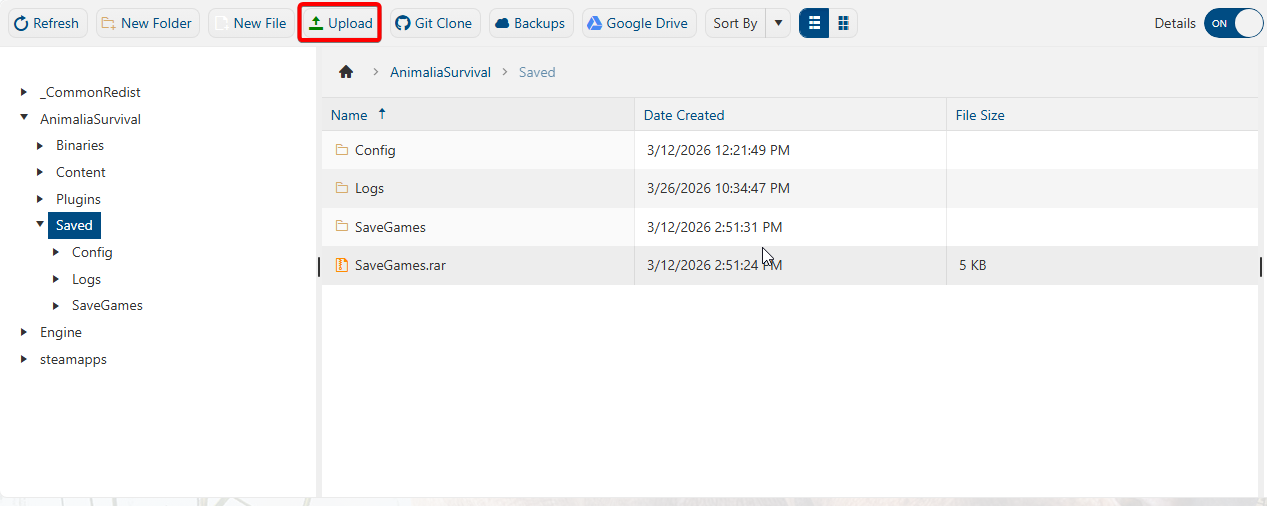
5. Once uploaded, right-click the Zip/Rar file and select Extract.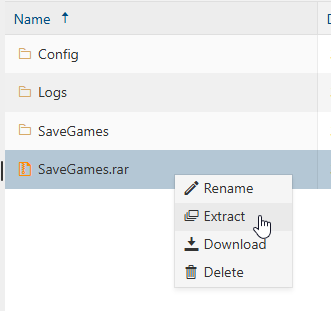
6. You can now start the server, and it should no longer be a black screen when joined.
Did the above information not work for you?
Please click here to contact our support via a ticket.
