

This guide will help you learn how to Set Up a Flat World on your Hytale Server.
Click here to order your Hytale server with Citadel Servers today!
Flat worlds are a popular choice among Hytale players who want a clean slate for building, experimenting, or running creative projects. Unlike standard terrain generation, a flat world strips away mountains, caves, and biomes, leaving you with a simple, level surface that’s perfect for custom builds, mini-games, or testing mechanics. In this guide, you’ll learn how to set up a flat world on your Hytale server step by step. Whether you’re hosting for friends or managing a larger community, the process is straightforward once you know where to look. By the end, you’ll have a flat world ready to customize with your own structures, mods, and gameplay ideas.
Creating Flat Worlds on your Hytale Server
1. Log in to your Game Control Panel and navigate to your service.
2. Navigate to the Web-Console Tab.

3. In the Web-Console tab, run the following command:
/world add <name> --gen Flat

NOTE: At this stage, the flat world has been generated with a single layer of blocks. To prevent players from falling at the default spawn point, administrators should use the /spawn set command to establish a safe spawn location.
4. Next is stop the server.
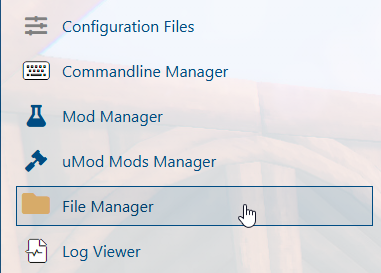
5. Navigate to the File Manager Tab.
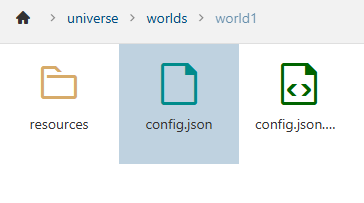
6. Follow this directory path: /home/universe/worlds/(chosen world)/config.json and double-click it.
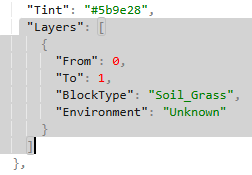
7. On the file, highlight the "Layers": [] text.
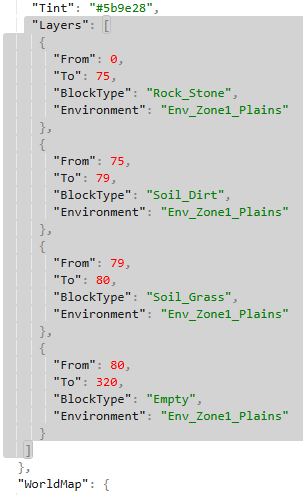
Replace the "Layers": [] entry with the following configuration:
8. After editing, click the Save button to apply the changes on your server.

9. Start the server and navigate again to Web-Console Tab.
10. Run the following command to reload the world configuration:
/worldgen reload --world <name> --clear

Did the above information not work for you?
Please click here to contact our support via a ticket.
