

This guide will help you learn how to change the Game Mode on your Hytale Server.
Click here to order your Hytale server with Citadel Servers today!
Running your own Hytale server lets you bring your personal worlds online and share them with your community. Uploading your local world to your server allows players to explore your creations together in multiplayer while keeping your progress intact. This guide explains how to safely transfer your world from your computer to your server.
1. Launch Hytale.
2. Open the Worlds menu.
3. Right-click the world you want to upload.
4. Click Open Folder to locate your world files.
5. Zip the entire universe folder on your computer.
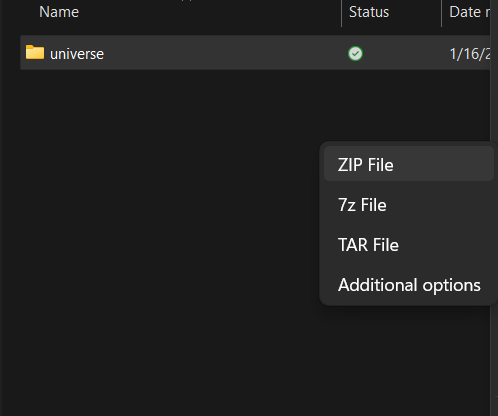
Note: Your server must be started at least once and authenticated so the required folders are generated.
5. Access your server control panel. You can click this link as shortcut: Game Control Panel
6. Stop your server.
7. Go to the File Manager section.
8. Locate the universe folder, then right-click and Delete it.
9. Upload the zipped universe folder from your computer to your server files by clicking Upload, then selecting the zip file.

10. Right-click the zip file and select Extract.
Did the above information not work for you?
Please click here to contact our support via a ticket.
