

This guide explains how to update your Project Zomboid server on Citadel Servers to the Beta 42.13+ build.
Updating to this version allows you to test upcoming features before their official release; however, since this is a beta build, you may encounter bugs or instability.
Note: It is highly recommended to stop your server before applying the changes in this guide.
Updating Your Project Zomboid Server to Beta 42.13+
First, Login to your Citadel Servers Game Panel
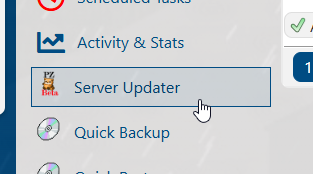
From the left-hand menu, navigate to the Server Updater tab.
In the list of available Project Zomboid versions, select Beta 42.13.1.
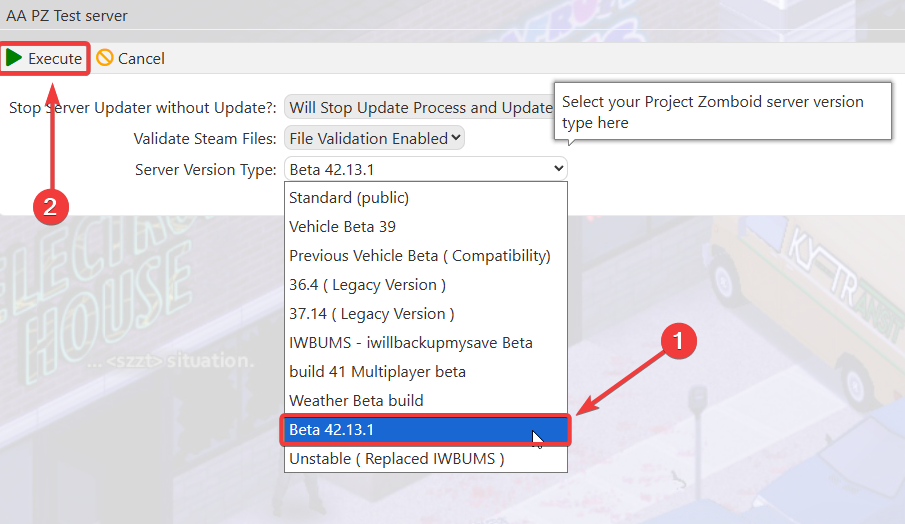
Click Execute to begin updating your server to Beta 42.13.1.
You will be redirected to the console, where you can monitor the update progress.
Please wait until the update process is fully completed.
Please wait until the update process is fully completed.
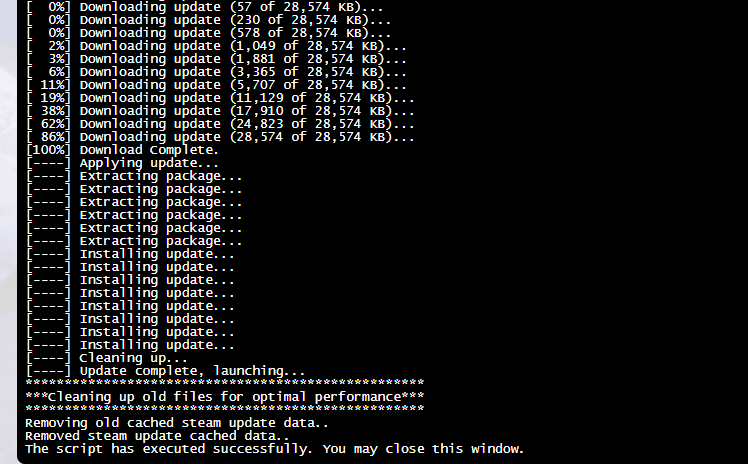
Once the update finishes, go to the Commandline Manager and select the appropriate command line required to run the Beta version.
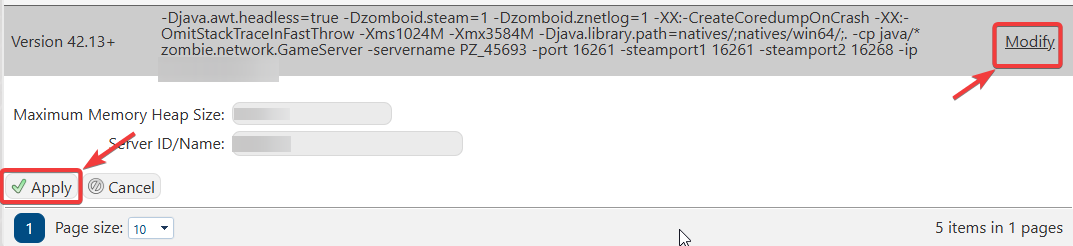
Start your server.
If all steps are followed correctly, your server should start normally.
Once the server is running, you may proceed with configuring and setting up your Project Zomboid server on Beta 42.13.1.
