

This guide will show you how to Turn Off the Automatic Pause Feature on a Foundry Server
Order a Foundry Server today with Citadel Servers
Foundry is a factory-building and automation game where maintaining continuous server activity can be important for players who want their production lines, automated systems, and resource-gathering operations to remain uninterrupted. By default, certain server configurations may allow the game to automatically pause when no players are connected. While this behavior can help reduce unnecessary resource consumption when a server is idle, it may not be ideal for communities that prefer to keep their factories and automated production systems running even when everyone has logged out. Disabling the automatic pause feature allows your Foundry server to remain active even when there are no players connected. This can be particularly useful for dedicated servers where players share resources, maintain large-scale production facilities, and rely on automated processes that benefit from continuous operation. Keeping the server active also allows players to return to an ongoing world without having to worry about the server entering an automatic pause state whenever the last player disconnects. In this guide, we will walk you through the process of disabling the automatic pause feature on your Foundry dedicated server by modifying its configuration file through the Citadel Servers Game Panel. You will learn which configuration parameter controls this behavior, what value to use to keep your server running continuously, and how to apply the changes so they take effect after restarting your server.
Note: Disabling automatic pausing means your factory will continue operating even when nobody is online. This can increase server resource consumption, particularly on servers with large factories, extensive conveyor networks, and multiple automated production facilities. We recommend monitoring your server's resource usage after making this change to ensure it continues to perform smoothly.
Disabling Auto-Pause Setting
1. Log in to your Game Panel.
2. Whenever you make changes on your server, you should always stop the server from running by clicking the Stop button.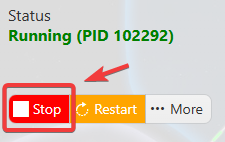
3. Navigate to the Configuration Files section.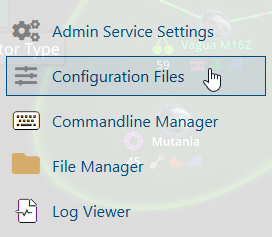
4. In the Configuration Files, you will see the app.cfg file, which is the Foundry Server Configuration. Click the Text Editor.

5. Open the Text Editor, locate the Pause when Empty parameter, and change its value to False to disable the automatic pause feature.

6. After editing, click the Save button to apply the changes.

