
This guide will show you how to Turn Off Raids in your Necesse Server
Looking for a Necesse game server? Click here to order your server!
Building a thriving settlement in Necesse is one of the game's most satisfying loops, expanding housing, automating resources, and gearing up your villagers. However, as your village grows, it naturally draws the attention of hostiles. Settlement raids send waves of aggressive enemies directly into your base, threatening to kill your NPCs, disrupt production, and destroy hard-earned progress. While raids add combat tension and provide extra loot drops, they aren't for every playstyle. Whether you are running a casual server focused purely on base-building, hosting a persistent world where offline players shouldn't lose villagers, or simply tired of constant repairs, disabling server raids gives you complete control over your world's difficulty. Whether you host a dedicated server or run a locally hosted multiplayer game, disabling or tweaking raid frequency can be done in just a few steps using in-game administrative settings or server configuration files.
Disabling Raids
1. Log in to your Game Control Panel and navigate to your service.
2. Before making any changes, ensure that your server is fully stopped.
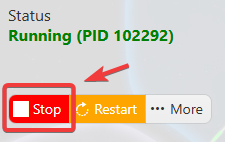
This helps prevent configuration changes from being overwritten or reverted to their default values.
3. Navigate to the Web Console tab.
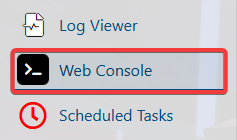
4. Execute the following command to disable raids: raids never
5. Once you have finished editing the settings, click the Save button to apply the changes to your server.