

This guide will show you how to configure the Clear Infection on Death setting on your HumanitZ Server
Order a HumanitZ Server today with Citadel Servers
The Clear Infection on Death setting allows you to control whether a player’s infection is removed when they die on your HumanitZ server. Adjusting this option can help you customize the difficulty and survival experience for your players. In this guide, we’ll show you how to configure the Clear Infection on Death setting on your HumanitZ server, including how to enable or disable the option through your server’s configuration settings.
Changing the Clear Infection on Death Setting on Your HumanitZ
1. Log in to your Game Control Panel and navigate to your service.
2. Before making any changes, ensure that your server is fully stopped.
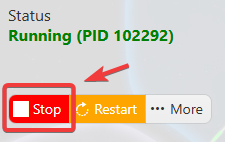
This helps prevent configuration changes from being overwritten or reverted to their default values.
3. Navigate to the Configuration Files tab to access your server’s configuration settings.
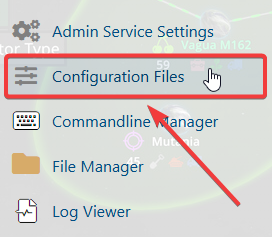
4. In the Configuration Files section, locate the gameserversettings.ini file, then click Config Editor next to it to open the configuration settings.

5. In the configuration file, locate the Clear Infection setting and choose whether players should keep their infection upon respawn or have the infection cleared upon death.
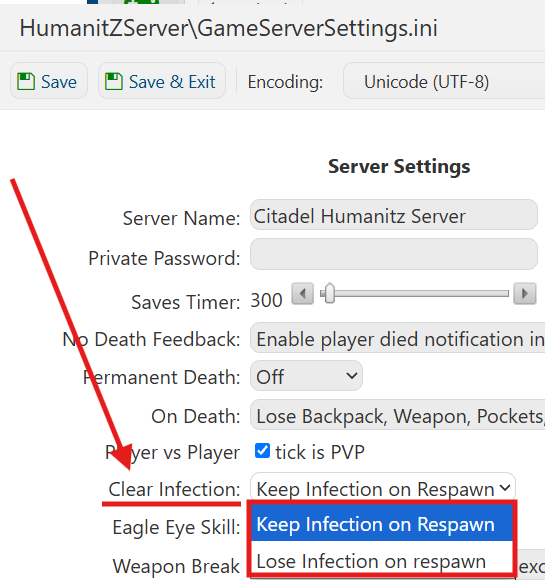
6. Once you have finished editing the settings, click the Save button to apply the changes to your server.

If you prefer to modify the server name directly within the configuration file instead of using the UI, click Text Editor next to Config Editor and make your changes there.
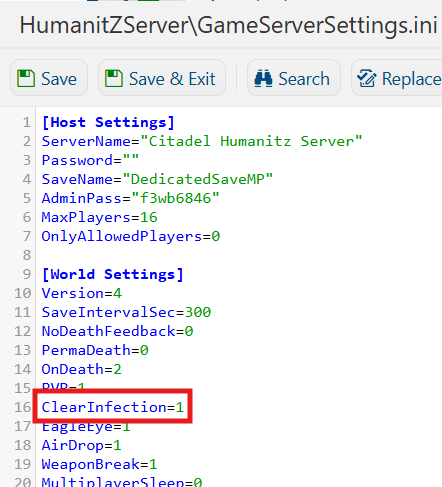
Using the Text Editor allows you to preserve custom configurations, such as installed mods and custom scenarios, without having them overwritten or affected by the preset settings in the Config Editor.
