

This guide will walk you through how to adjust AI difficulty settings on your HumanitZ server.
Click here to order your Humanitz server with Citadel Servers today!
1. Log in to your Citadel Servers Game Panel and stop your server.
2. Go to the Configuration Files tab, then open the Main configuration file using the text editor.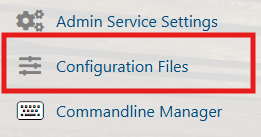
3. Locate the AI difficulty options under World Settings and adjust them based on your server configuration.

| Setting | Range / Possible Values | Description |
|---|---|---|
| ZombieDiffHealth | 0.5 - 3 (Low to High) | Adjusts zombie health. Higher values make zombies harder to kill. |
| ZombieDiffSpeed | 0.5 - 3 (Slow to Fast) | Controls zombie movement speed. Higher values increase speed and aggression. |
| ZombieDiffDamage | 0.5 - 3 (Low to High) | Sets zombie damage output. Higher values make zombies deal more damage. |
| ZombieAmountMulti | 0 - 3 (Low to High Spawn Multiplier) | Controls overall zombie spawn quantity. Higher values increase zombie population. |
| ZombieDogMulti | 0 - 3 (Low to High Spawn Multiplier) | Adjusts the spawn rate of zombie dogs. Higher values increase dog encounters. |
| ZombieRespawnTimer | 30 - 300 (Seconds) | Time in seconds before zombies respawn in the world. |
| HumanDifficulty | 0 - 3 (Easy to Hard) | Controls AI human enemy difficulty. Higher values increase combat challenge. |
| HumanAmountMulti | 0 - 3 (Low to High Spawn Multiplier) | Adjusts the number of hostile human NPCs in the world. |
| HumanRespawnTimer | 30 - 300 (Seconds) | Time in seconds before human NPCs respawn. |
5. Save the changes and start your server.
Did the above information not work for you?
Please click here to contact our support via a ticket.
