

This guide will show you how to ban, Unban, and Manage Players on your Core Keeper Server
Looking for a Core Keeper server? Click here to order your Core Keeper now
Managing players is an important part of running a Core Keeper server, especially when you’re hosting a public or community-based world. As your server grows, you may need to remove disruptive players, prevent unwanted users from joining, or restore access to someone who was previously banned. Fortunately, Core Keeper provides tools that make it easy for server administrators to manage player access. In this guide, we’ll show you how to ban, unban, and manage players on your Core Keeper server, along with the essential commands and steps you need to keep your server secure and enjoyable for everyone.
Banning Players
1. Connect to your server with administrator privileges. If you need help setting up or accessing admin permissions, refer to our guide here.
2. Press the Esc key on your keyboard to view the list of players currently connected to the server.

3. Click the red circle icon next to the player you want to manage.

4. Select Yes to confirm the ban and remove the player from the server.
Unbanning Players
1. Connect to your server with administrator privileges. If you need help setting up or accessing admin permissions, refer to our guide here.
2. From the Esc menu, select Manage Players to open the player management options.
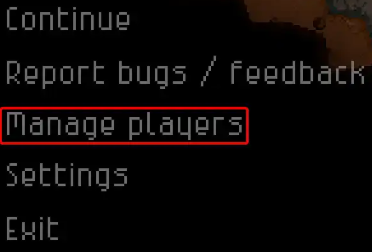
3. In the Banned Players list, click the red circle icon next to the player’s name to remove the ban.
4. Choose Yes to unban the player.
Did the above information not work for you?
Please click here to contact our support via a ticket.
