

This guide will show you how to kick-start your Unreal Tournament III server.
Click here to order your Unreal Tournament III server with Citadel Servers today!
1. Log in to your Game Control Panel.
2. Open the Updates tab and select which patch you want to install.
Most client versions will be compatible with Patch 5.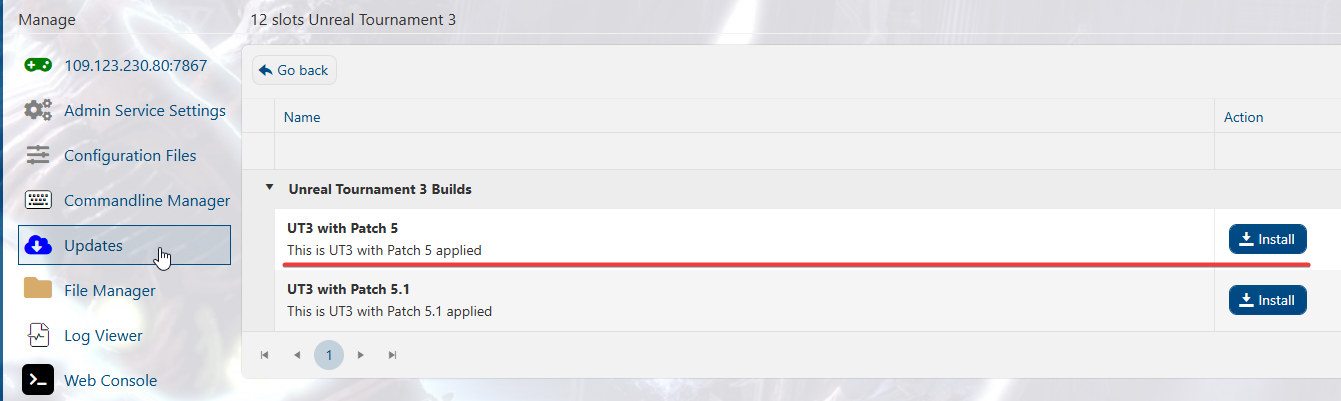
3. Once it's done installing, open the Commandline Manager and click Modify on the "Custom" line.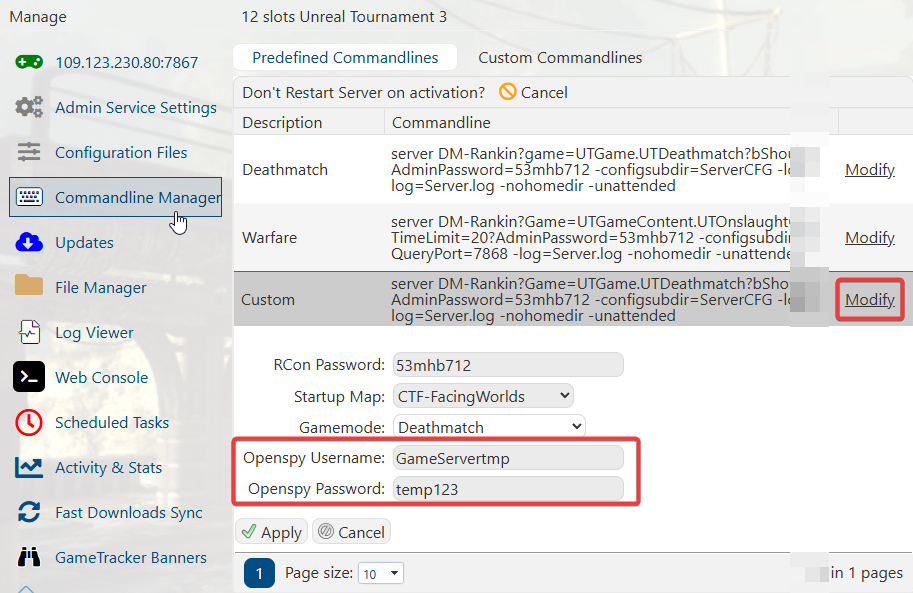
4. This will bring down the available options. You will need an OpenSpy account to continue the setup.
You can register for one here: https://account.openspy.net/
5. Once you have finished registering, input your Username and Password into the fields.
While here, you can select the game mode and Map. Click "Apply" once you are done editing.
6. You can now start the server, and it should be available in the in-game server list.
Did the above information not work for you?
Please click here to contact our support via a ticket.
