

This guide will show you how to change your Gamemode and Map on your S&Box server.
Click here to order your S&Box server with Citadel Servers today!
1. Log in to your Game Control Panel.
2. Open the Commandline Manager.

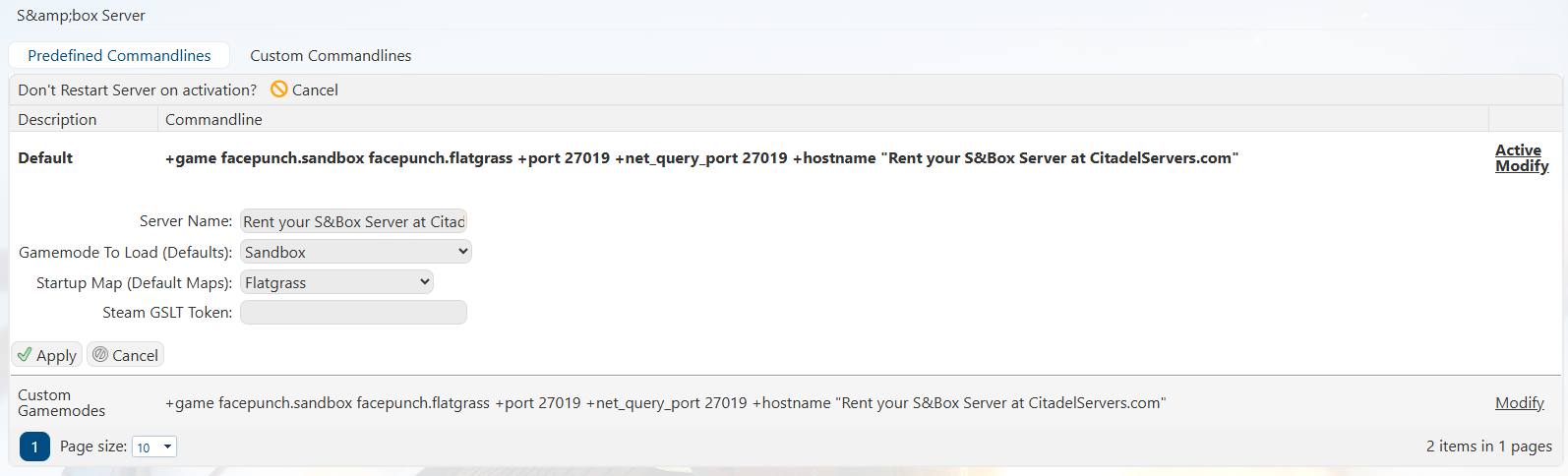
3. For the default line, click Modify on the right of the line.
Drop-downs are available for the default maps and gamemodes the server comes with.
Once selected, click Apply.
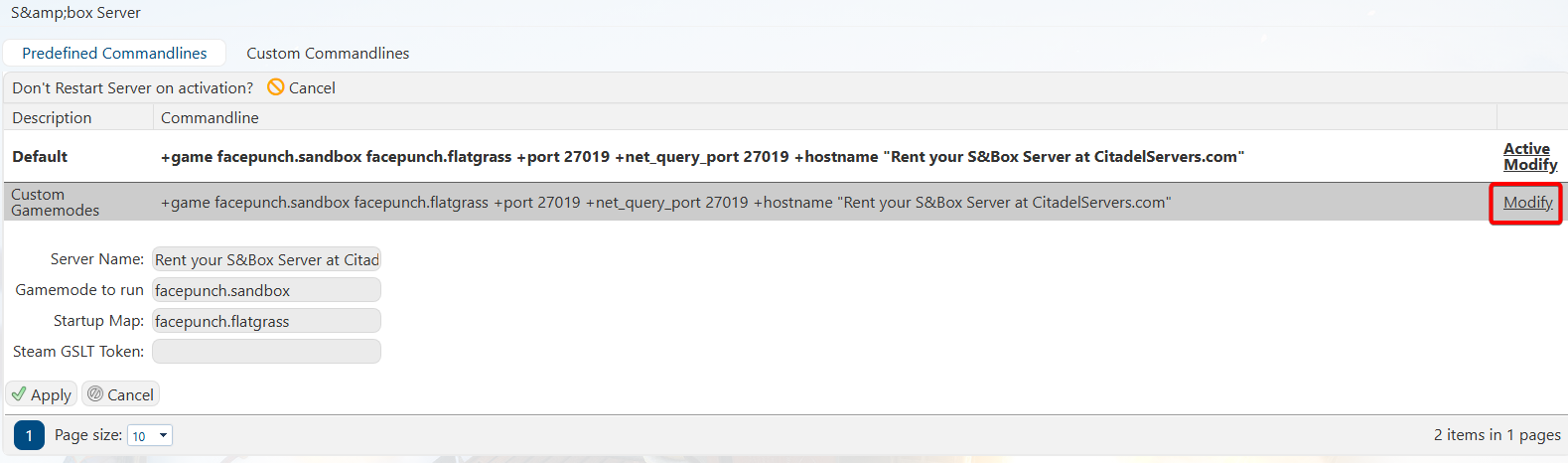
4. For custom gamemodes and maps, select the Custom line and click Modify.
The custom line allows the gamemode and map names to be typed out.
You can follow our guide here for installing custom maps.
Once you are done editing, click Apply.
5. You can now start the server with your preferred gamemodes and maps.
Did the above information not work for you?
Please click here to contact our support via a ticket.
5. You can now start the server with your preferred gamemodes and maps.
Did the above information not work for you?
Please click here to contact our support via a ticket.
