

This guide will show you how to run an S&B Business Gamemode on an S&Bbox Server
Running the S&Business gamemode on your S&box server lets you transform a standard sandbox environment into a dynamic, economy‑driven experience where players build companies, manage resources, and compete or collaborate in a living simulation. Whether you're hosting a private server for friends or creating a public roleplay‑focused community, S&Business adds depth, progression, and structure that make your server stand out. This guide walks you through everything you need to get the gamemode up and running, from selecting the correct game package to configuring your server’s command line so it loads S&Business reliably. You’ll learn how S&box handles custom gamemodes, how to ensure all required assets are installed, and how to prepare your server so players can jump straight into building their virtual empires. By the end, you’ll have a fully functional S&Business server ready for play.
Setting Up a S&Business Server in S&box
1. Log in to your Game Control Panel.
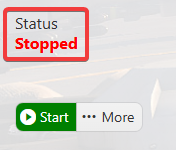
2. Make sure your server is fully stopped before making any changes.
3. Navigate to the Commandline Manager Tab.
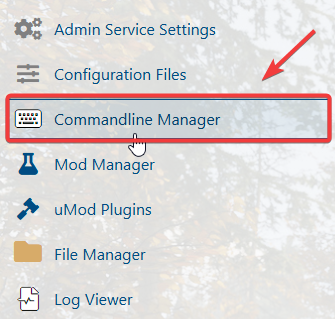
4. Open the Commandline Manager, then click Modify beside the Custom Gamemodes command line. Set the Gamemode to run field to subdoctor.tempname.
Keep the Startup Map field empty so the server loads the game’s included map.

Click the Apply button to save the changes.
5. Start the server to launch the new map on your server.

Did the above information not work for you?
Please click here to contact our support via a ticket.
