

This guide will show you how to add an admin to your Rimworld Together Server
Click here to order your Rimworld Together server with Citadel Servers today!
Running a RimWorld Together server means managing more than just colonists. You’re also responsible for keeping your multiplayer world stable, fair, and fun. Assigning admin privileges is one of the most important steps in maintaining control over your server, whether you’re moderating players, troubleshooting issues, or simply giving trusted friends the ability to help manage the game. This guide walks you through the essential steps for adding an admin to your RimWorld Together server quickly and correctly. Whether you’re hosting a small co‑op colony or a larger community-driven world, setting up admin access ensures you have the tools needed to oversee gameplay, enforce rules, and keep everything running smoothly. With the right configuration, you’ll be ready to handle anything the RimWorld universe throws your way.
Adding Admins on your Rimworld Together Server
1. Log in to your Game Control Panel and navigate to your service.
2. Before making any modifications, stop the server from running by clicking the Stop button.

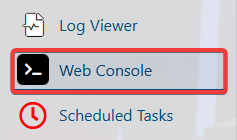
3. Go to the Web-Console Tab.
4. Run the following command to display the full list of connected players.
"deeplist"
Select and copy the ID of the player you wish to manage.
for example:
"Citadel - ED6266E4CEE83C37"
5. Run the command below to promote the selected player to admin.
"op [Player ID]"
Execute the command shown to remove admin access from a player.
"deop [Player ID]"
How to Open the Admin Menu in RimWorld Together
1. Join the server as an admin.
2. Press ESC to bring up the menu, then choose Options.
3. Check the box to turn on Development Mode.
4. Press ESC on the keyboard and choose Admin menu.
