

This guide will show you how to enable the Summer Bash 2026 Event on your server.
The event is now a mod and is not activated via the event startup commands
Order an ARK Ascended Server today with Citadel Servers
Follow these steps:
1. Log in to your Game Control Panel.
2. Open the Commandline Manager.
Select Modify on your active line(the one highlighted in bold).
Scroll down and find the Mods text field.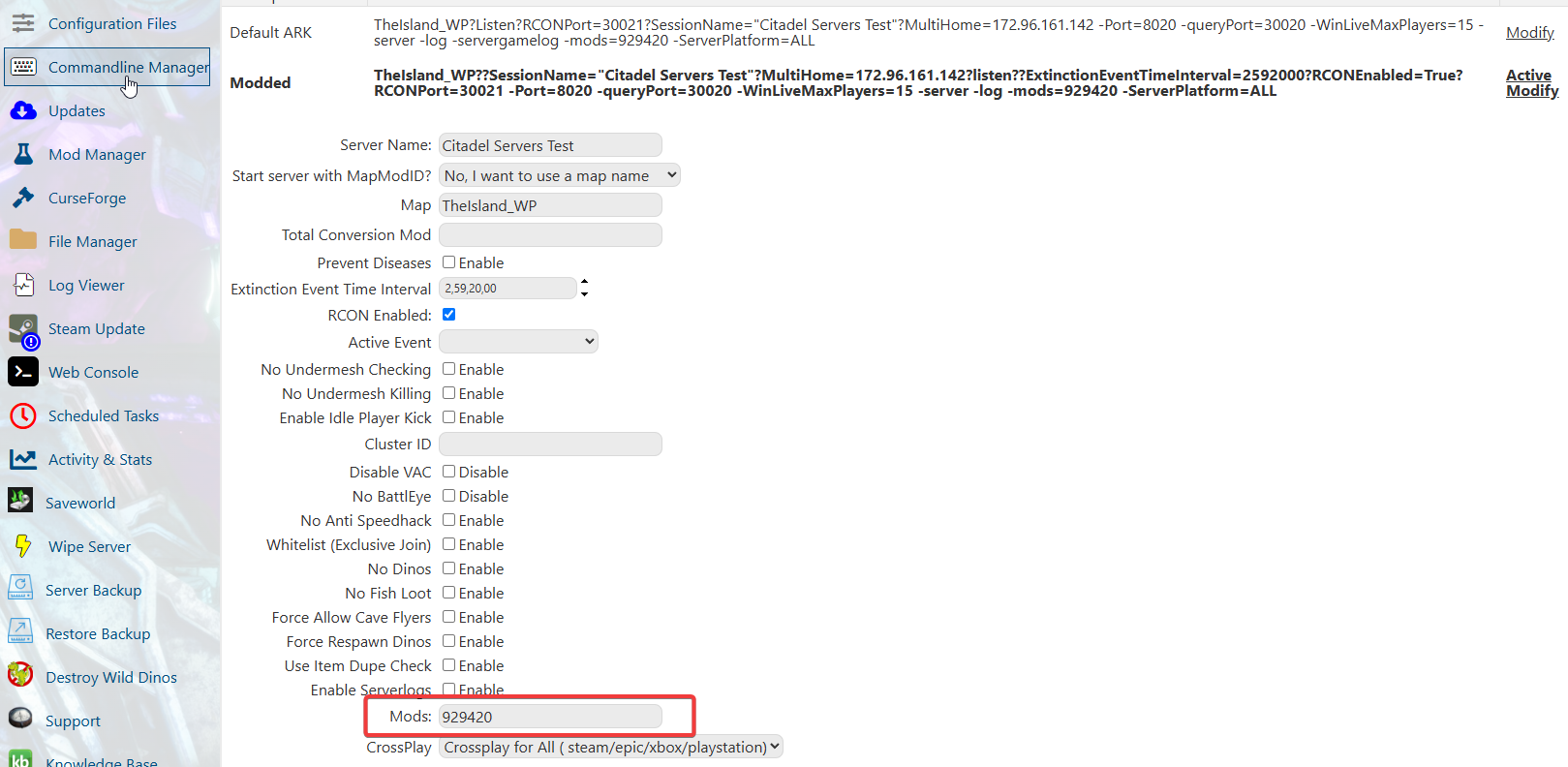
3. Open the Mod Page of this event on Curseforge.
Copy the Project ID/Mod ID of the event, which is "927091".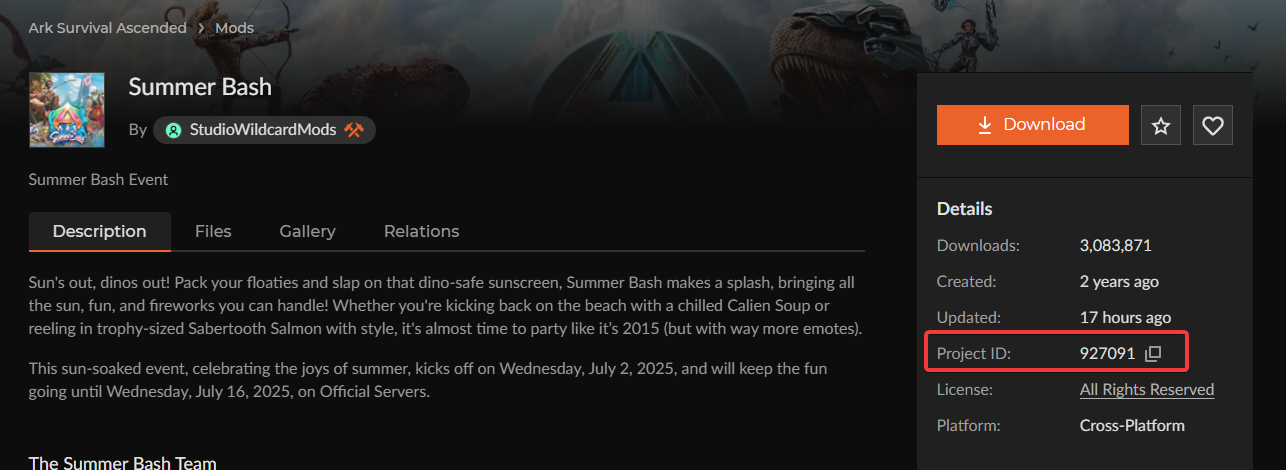
4. Paste the Mod's ID into the Mod text field in the Commandline.
If you have other mods, separate each mod with a comma but don't add any spaces between them.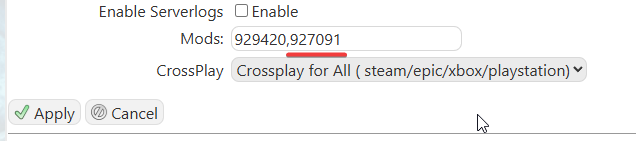
5. Click Apply to save it. You can now start your server with the event enabled.
Did the above information not work for you?
Please click here to contact our support via a ticket.
