
This guide will show you how to update your Battlefield 1942 server.
Click here to order your Battlefield 1942 Game Server with Citadel Servers today!
1. Log in to your Game Control Panel.
2. Open the Updates tab. Install the master.bf1942.org patch at the top.
Select your preferred version. Either the original patch or the 2026 patch.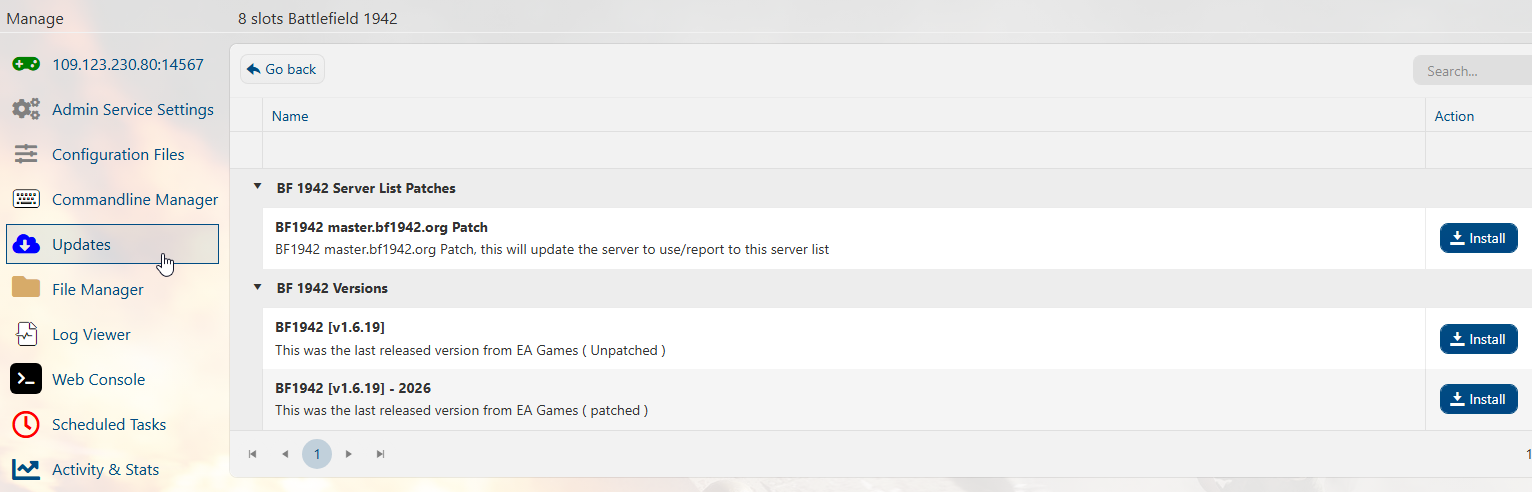
3. A progress bar will pop up to show the installation progress. Wait for it to finish.
You can now start your server.
Did the above information not work for you?
Please click here to contact our support via a ticket.
