
This guide will show you how to change the map on your No One Survived Server
Buy your No One Survive Game Server Here!
1. Log in to your Game Control Panel.
2. Before making any modifications, stop the server from running by clicking the Stop button.

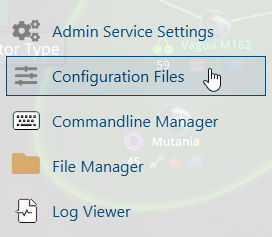
3. Navigate to the Configuration Files section.
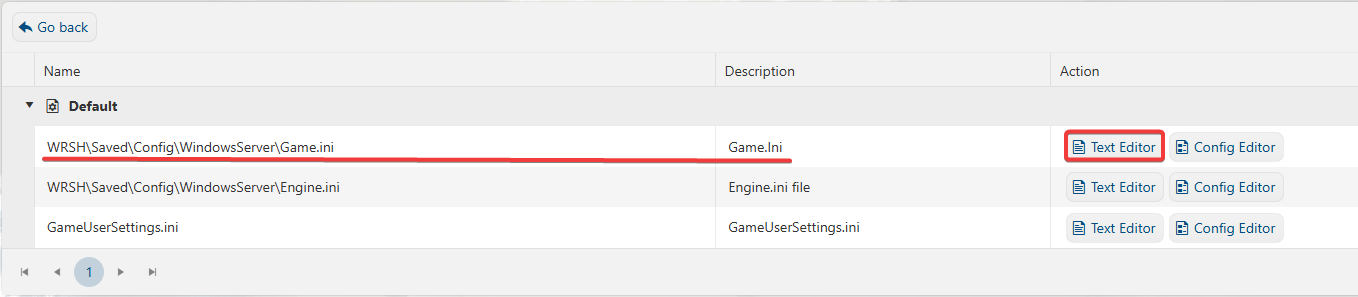
4. On the Configuration Files, look for WRSH\Saved\Config\WindowsServer\Game.ini file and click the Text Editor beside the Config Editor.
5. On the Text Editor, look for the OpenMap line, change it to your preffered map.
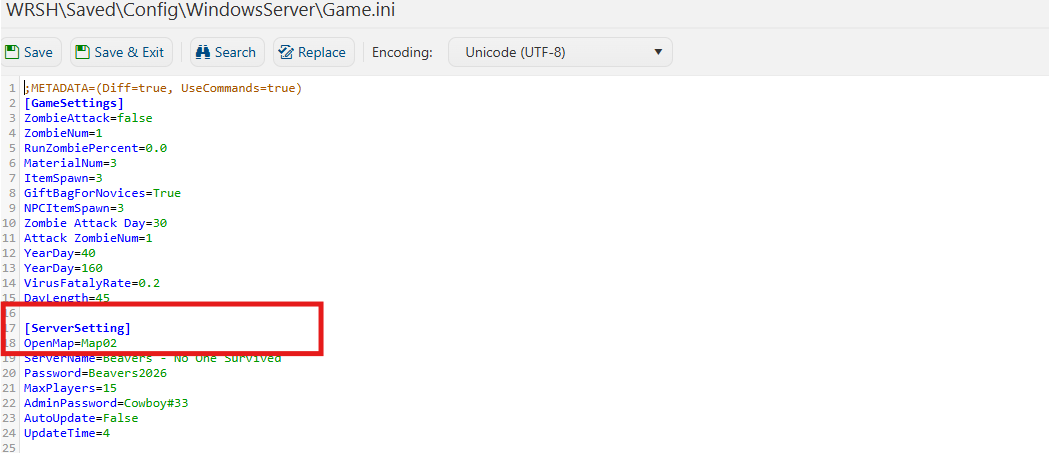
6. After editing, click Save to apply the changes.
You can now start playing on your server and enjoy a more competitive experience.
Did the above information not work for you?
Please click here to contact our support via a ticket.
Please click here to contact our support via a ticket.
