
This guide will show you how to Set Up Fast Downloads on your Unreal Tournament 1999 Server.
Click here to order your Unreal Tournament 1999 server with Citadel Servers today!
Setting up Fast Downloads (FastDL) on your Unreal Tournament 1999 server is one of the most effective ways to improve the player experience, especially when your server uses custom maps, textures, models, or mods. Without FastDL, players are forced to download files directly from the game server at extremely slow, outdated transfer speeds. This often leads to long wait times, failed connections, or players leaving before they ever join the match. FastDL solves this by offloading downloads to a web server, allowing players to retrieve required files quickly through standard HTTP. This keeps your game server focused on gameplay while dramatically reducing load times and improving accessibility for new players. Whether you're hosting a small private server or a public community hub, enabling FastDL ensures smoother joins, fewer disconnects, and a more polished overall experience. This guide walks you through the essentials of setting up FastDL for UT99, explains how the file structure works, and highlights common pitfalls so your server delivers custom content reliably and efficiently. Once configured, your players will be able to join matches faster and enjoy your server’s custom content without frustration.
Setting Up FastDL for Your UT1999 Server

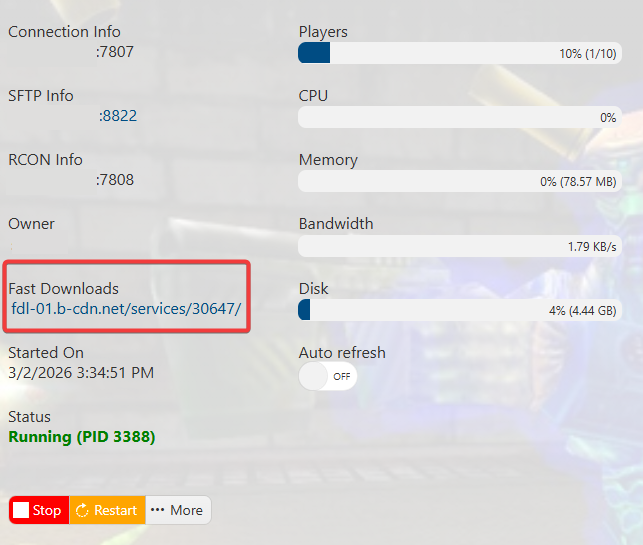
RedirectToURL setting, then replace its current value with the URL of your preferred FastDL site.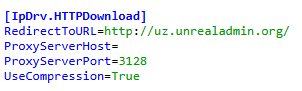
Please click here to contact our support via a ticket.
