

A quick guide to help you enable the crossplay feature on your ARK: Survival Ascended server.
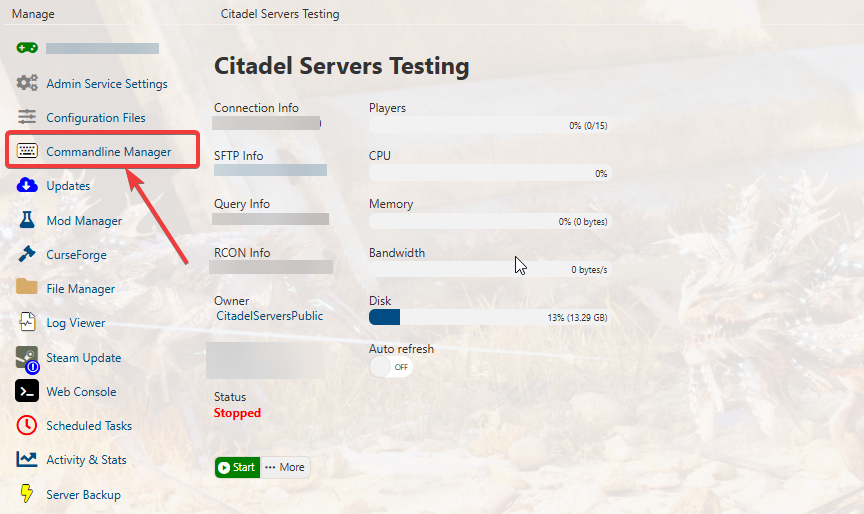
2. Navigate to the Commandline Manager Section.
3. Click the Modfiy button and on the Crossplay dropdown, select Crossplay For All
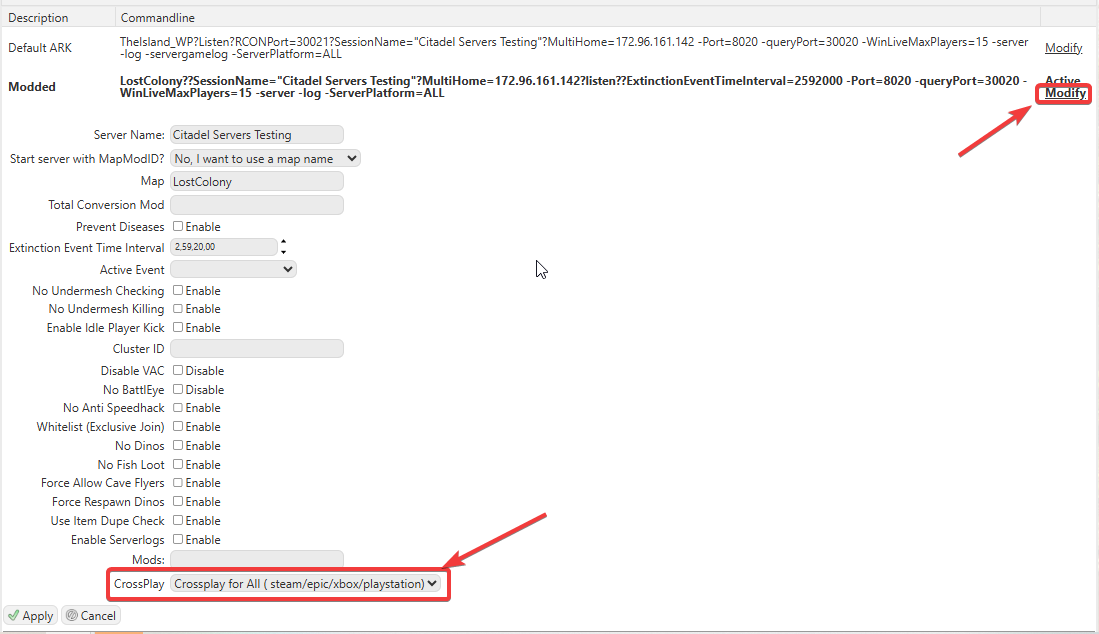
Note: An active commandline will appear in bold text once it’s been applied.

4. Start your Server and other platforms can now see your server in the list.
Did the above information not work for you?
Please click here to contact our support via a ticket.
