

This guide will help you learn how to create and Manage Instances on your Hytale Server.
Click here to order your Hytale server with Citadel Servers today!
Instances in Hytale are powerful tools that let you design unique areas, adventures, or scenarios within your server. Think of them as self‑contained spaces, whether it’s a dungeon, a quest zone, or a custom event map that players can enter, explore, and interact with independently of the main world. By creating and managing instances, you gain the ability to control gameplay flow, set specific challenges, and craft memorable experiences tailored to your community. In this guide, we’ll walk through the essentials of instance creation: how to set them up, configure their properties, and manage them effectively. Whether you’re building a cooperative dungeon crawl, a PvP arena, or a story‑driven quest zone, mastering instances will help you deliver dynamic and engaging content that keeps players coming back for more.
NOTE: Spawning instances is restricted to players with admin privileges.
Spawning Instances on your Hytale Server
1. Launch and join your server.
2. Press the Tab key to access the Creative Tools.

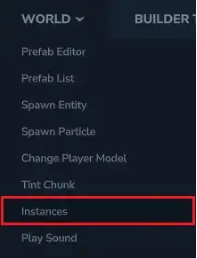
3. Open the World dropdown menu and select Instances.
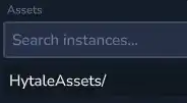
4. Open the HytaleAssets/ directory.
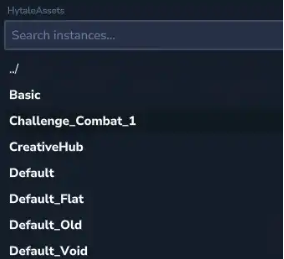
5. Pick the instance you’d like to spawn.
6. Press the Spawn button to generate the instance.

7. Alternatively, you can use the /instances spawn <InstanceName> command to create an instance.
Did the above information not work for you?
Please click here to contact our support via a ticket.
