

This guide will help you learn how to create and Manage Entities on your Hytale Server.
Click here to order your Hytale server with Citadel Servers today!
Entities are at the heart of gameplay in Hytale. From creatures and NPCs to interactive objects, they bring your world to life and shape how players experience your server. By learning how to create and manage entities, you gain control over everything from spawning custom mobs to fine‑tuning their behavior and interactions. In this guide, we’ll walk through the essentials of entity management, covering how to spawn them, configure their properties, and organize them effectively. Whether you’re building a role‑play server, designing adventure zones, or simply adding variety to your world, mastering entity creation ensures your server feels dynamic, immersive, and uniquely yours.
Spawning Entities on your Hytale Server
1. Launch and join your server.
2. Press the Tab key to access the Tools menu.
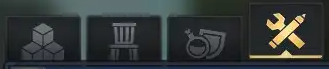
3. Select the Entity Tool, then drag it into the hotbar for quick access.
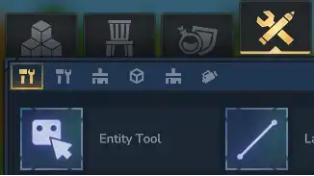
4. Keep the Entity Tool selected, then press E to open the spawn menu.
5. Choose the entity type you want. The NPCs menu will spawn living mobs.
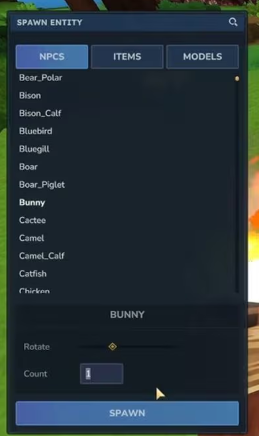
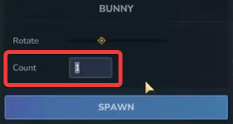
6. When spawning an NPC, the Count field determines how many will appear, and clicking the spawn button creates the entity.
7. You can select created NPCs by left‑clicking them with the Entity Tool.
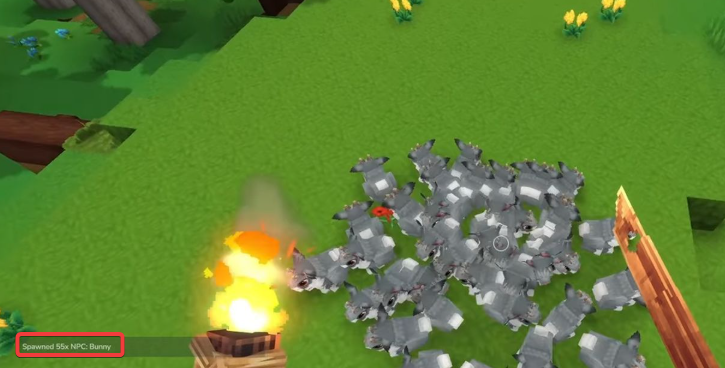
8. There are several tools available for placing entities, with additional functions found on page 2.
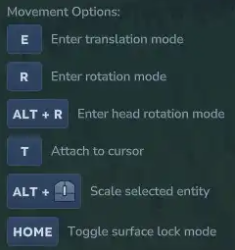
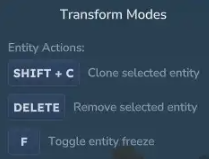
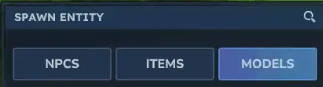
9. To spawn a stationary entity, choose either Items or Models from the menu.
10. Stationary entities support size changes by modifying their Scale value.

11. Stationary entities you’ve placed can be edited using the Entity Tool.
Did the above information not work for you?
Please click here to contact our support via a ticket.
